
It’s not a Mac, Our Windows Testing - Part 2
UPDATED 3/12 with pricing information.
Well today, I cracked open the boxes on our new Dell Workstation. If you missed Part 1 with the backstory and disclosure, you can catch up here. As noted yesterday, the machine and monitor provided by Dell are ours to keep, however, there are no rules on what I report in our testing.
Today was simply setup the computer day, nothing to report on Adobe Premiere Pro today as it was not possible, we couldn’t get it, more on that later.
Now I do have to clarify one thing I said in the first entry. I HAVE actually used a Windows machine professionally, but only sparingly. A few years ago we purchased an HP workstation with a BluRay burner specifically to run NetBlender’s DoStudio BluRay authoring program. I forgot about it because we don’t use it all that much. But that was a pretty basic system, all it needed was the BluRay burner so I went with a basic $1500 HP workstation that came standard with wireless internet connection.
For this system, I basically relied on Dell. They approached me with the idea that they are serious about the creative industry. I figured I would let them assemble what they felt was a top of the line video production workstation. They did ask me for ideas and I sent them the specs from the last 12 core Mac Pro I purchased. I generally buy the fastest Mac Pro out there with at least 24GB of RAM though usually more with a very beefy graphics card. Most everything else is stock on the machine. I expect the machine to be able to perform for at least 3 years when I purchase a desktop.
The system I received is as follows:
Dell Precision Mini Tower T5500
Dual Quad Core Intel Xeon 2.4Ghz Processors (Eight Core)
48GB RAM
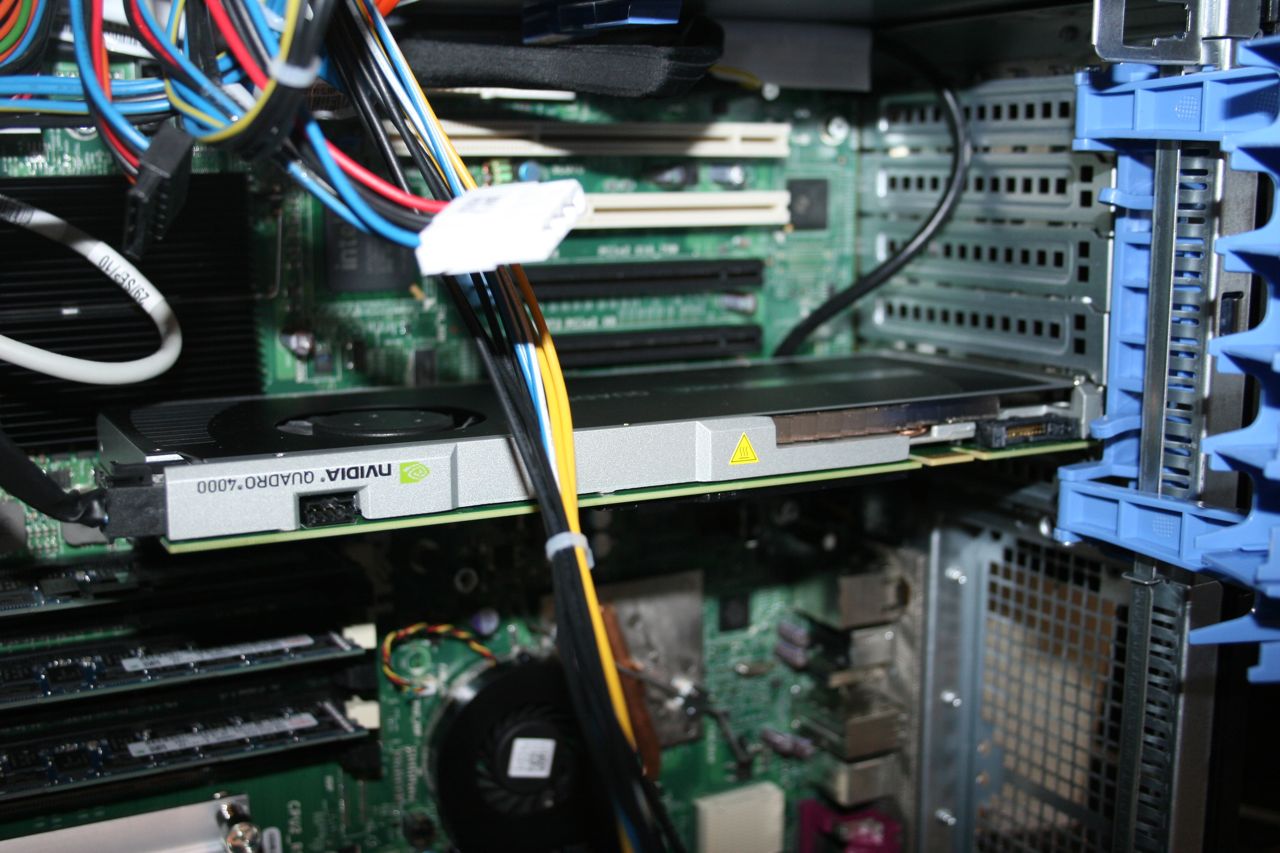
nVidia Quadro 4000 Graphics card with single DVI and Dual display ports
2 - 1TB SATA drives, 7200 RPM
1 - 256GB Solid State Internal Boot Drive
16X Optical DVD Bur
Internal Media Card Reader (standard camera media cards)
Windows 7 Professional
Belkin 3 port FW 800 PCI Card
Roxio Creator Starter Kit.
Adobe Production Premium CS 5.5 (via download)
The pricing for this is quoted as $6400 from Dell, but that was with the original Quadro 2000 card. I’m not sure how much the 4000 adds to the total.
Completely missing was any sort of a User’s Manual either on CD or printed. The HTML version I found online was not very inspring or useful. A PDF would have been much more helpful.
The RAM was increased per my request and the nVidia card was changed per my request. The original card was the nVidia 2000 which is not very useful for video production. The Quadro 4000 is the least you want for video production on the PC. The cards just go up from there. Ok, let’s take a look around.
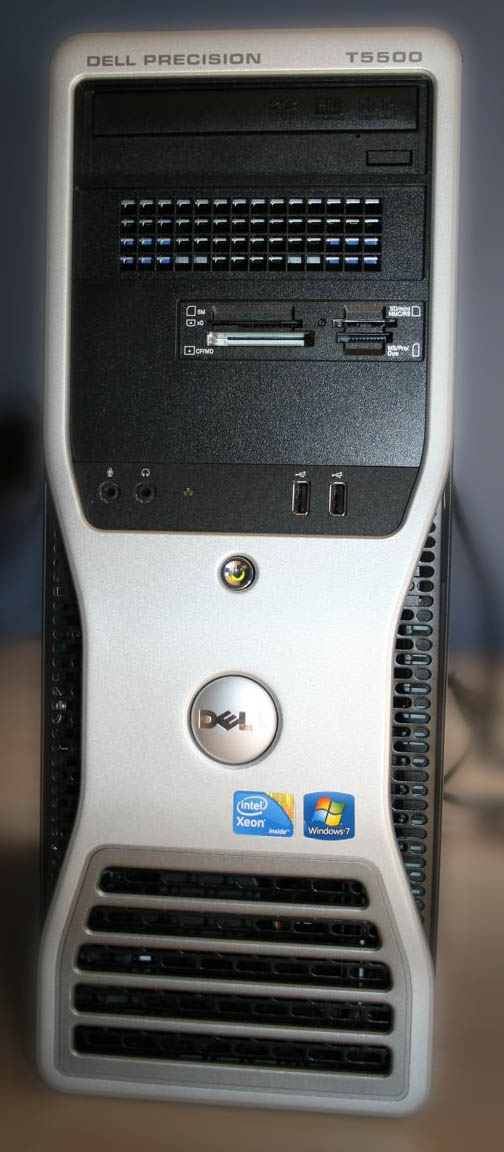
It looks plastic, but the chassis is actually sheet steel all the way around, and it feels pretty solid from the outside. Up front, we have Mic input, headset output, 2 USB ports (USB 2.0) along with the Media card slots and the DVD burner.
On the back are a slew connections from 4 USB Ports (USB 2.0), Ethernet, classic PC Mouse and Keyboard ports, classic Printer port and an eSATA port along with 6 PCI slots. You can see the single DVI and dual Display Ports on the nVidia Quadro 4000 card.
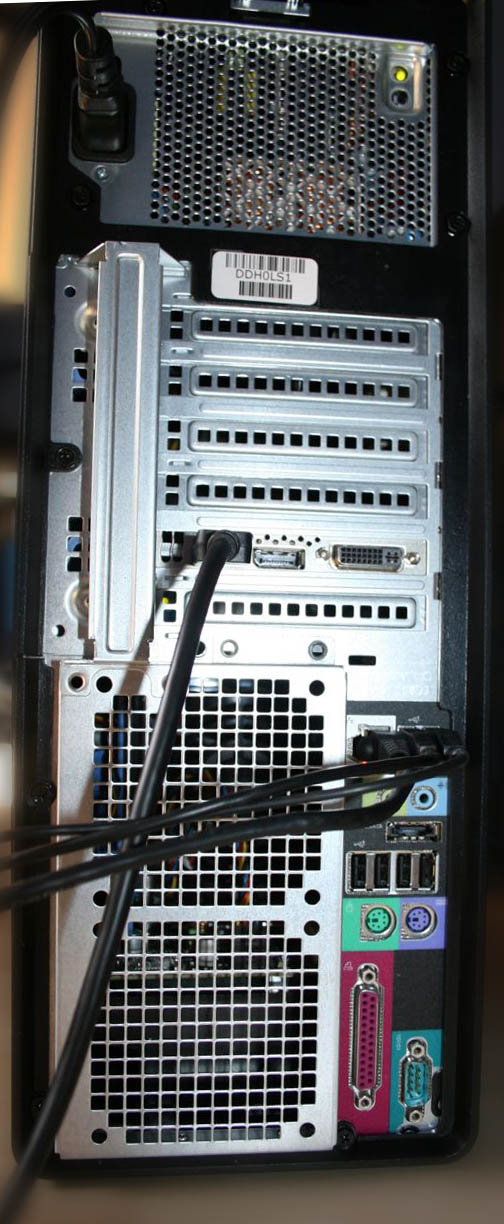
One thing that surprised me is the lack of USB 3.0 ports. I thought that would be standard on a workstation for media production and is one of the things that really sets the Windows workstations apart from the Mac Pro. But it isn’t and I didn’t notice that when the original specs were sent to me. The other thing I missed is the lack of Wireless internet connectivity standard, that has to be added. It was standard with our HP machine and it’s always in our Macs so I never even noticed that it wasn’t included on this machine. The wireless use really only comes into play in the initial setup anyway, but it would have been nice as a convenience. The single Ethernet port is an issue in our configuration at the office because we use one port to hardware to our office internet and a second port to connect to our SAN. I’ll be adding a Small Tree Ethernet card to the machine soon.
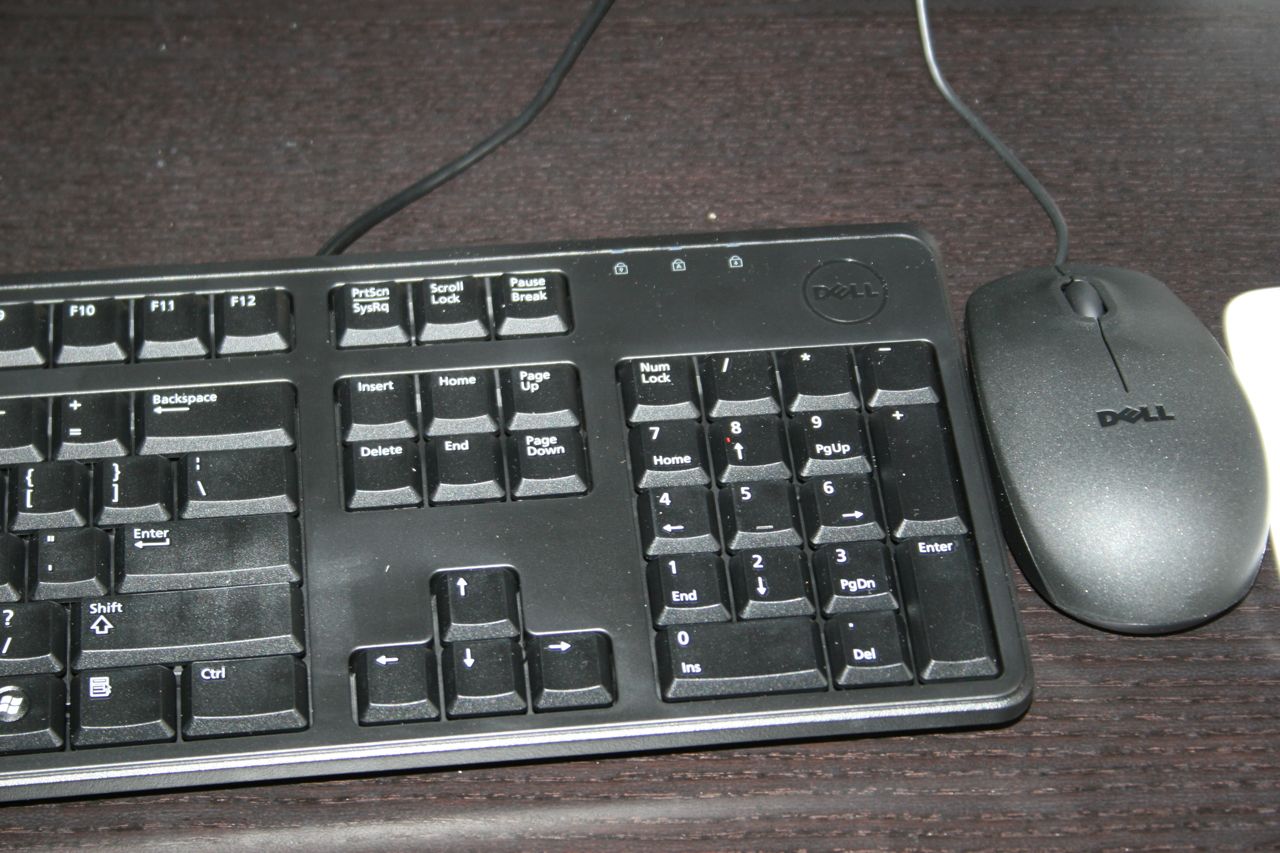
Keyboard and mouse are very UNimpressive. Honestly feels like the most cheap, plastic keyboard and mouse one could buy. The mouse isn’t all that big a deal because we use the Wacom Intuos Tablets throughout our shop and it won’t be used, but I can tell I’m going to replace the keyboard with something better. It feels like it’ll break within a few months of daily use and the clicking noise will drive me crazy.
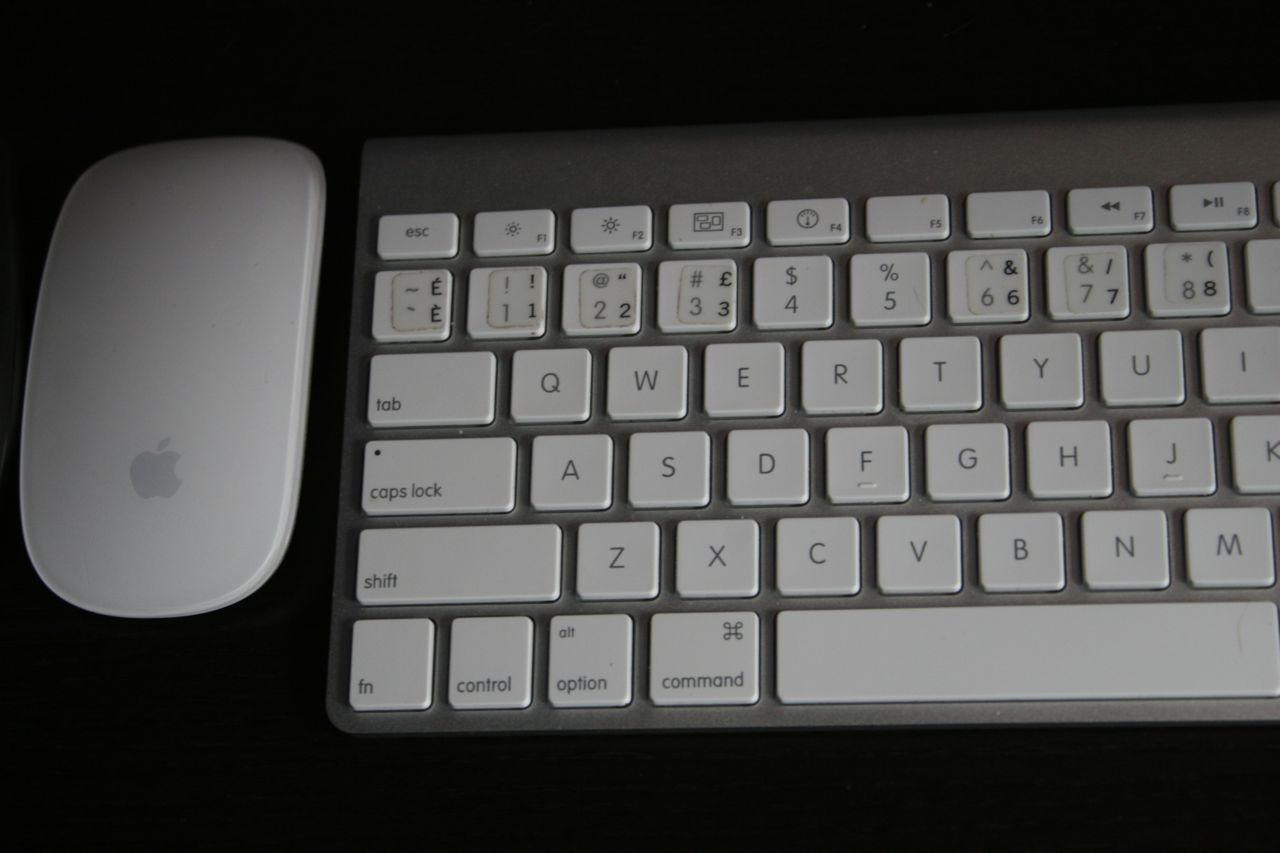
The Mac keyboards have transitioned to metal keyboard with very quiet keys that feel better to the touch and are quiet in daily creative sessions. The acrylic top of the Apple mouse is very smooth to the touch with the metal bottom, it feels more substantial.
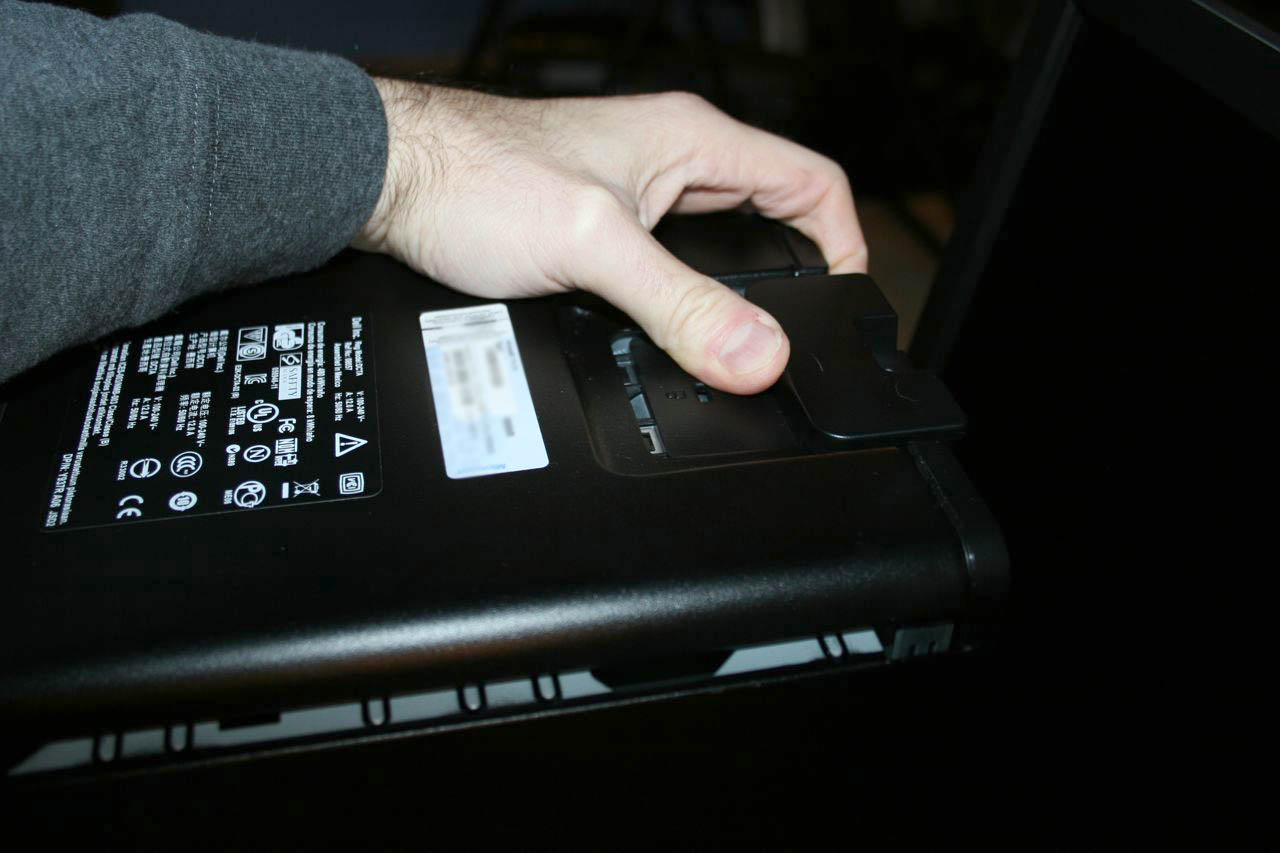
Access to the inside of the chassis is very easy, too easy in fact. I accidentally popped open the side twice when I picked it up. You slide back a tab on the top of the machine (pictured below) and the right side of the machine swings down and off. When picking up the machine, twice my hand pushed that tab back and the side fell off. Now that I know, I’m more careful.
When you compare the inside of the Precision T5500 (pictured below) with the inside of a Mac Pro, it’s definitely much more convoluted and it was here that I really came to appreciate the design of the Mac Pro interior, which is almost as elegant in appearance as the outside. This definitely looks like it was designed by an engineer who would never have to open the box up. The Mac Pro is designed to be very easy to access with most everything tucked out of sight.
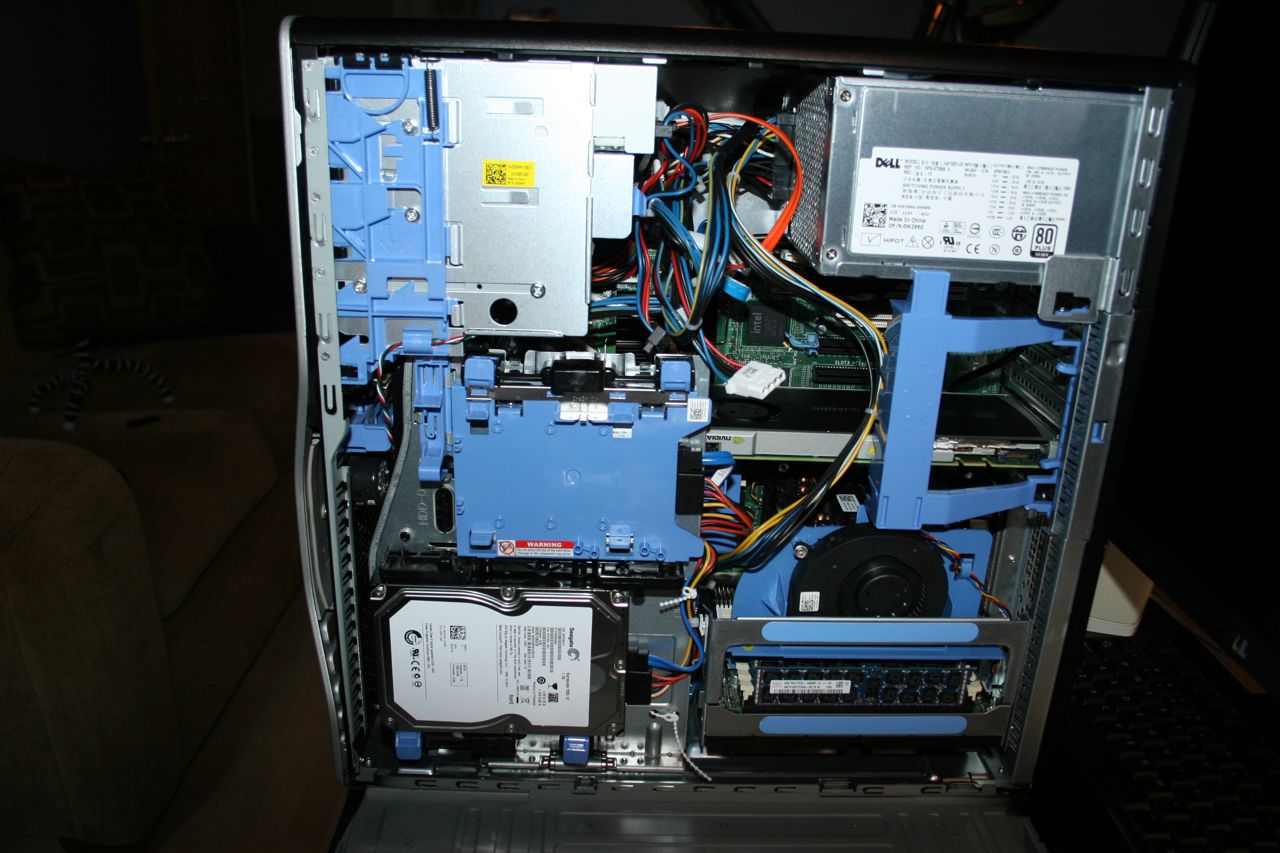
It’s kind of ugly, but definitely functional. All those blue plastic elements you see represent sections that can be moved or removed to access various areas inside the machine as you’ll see in the next photo.
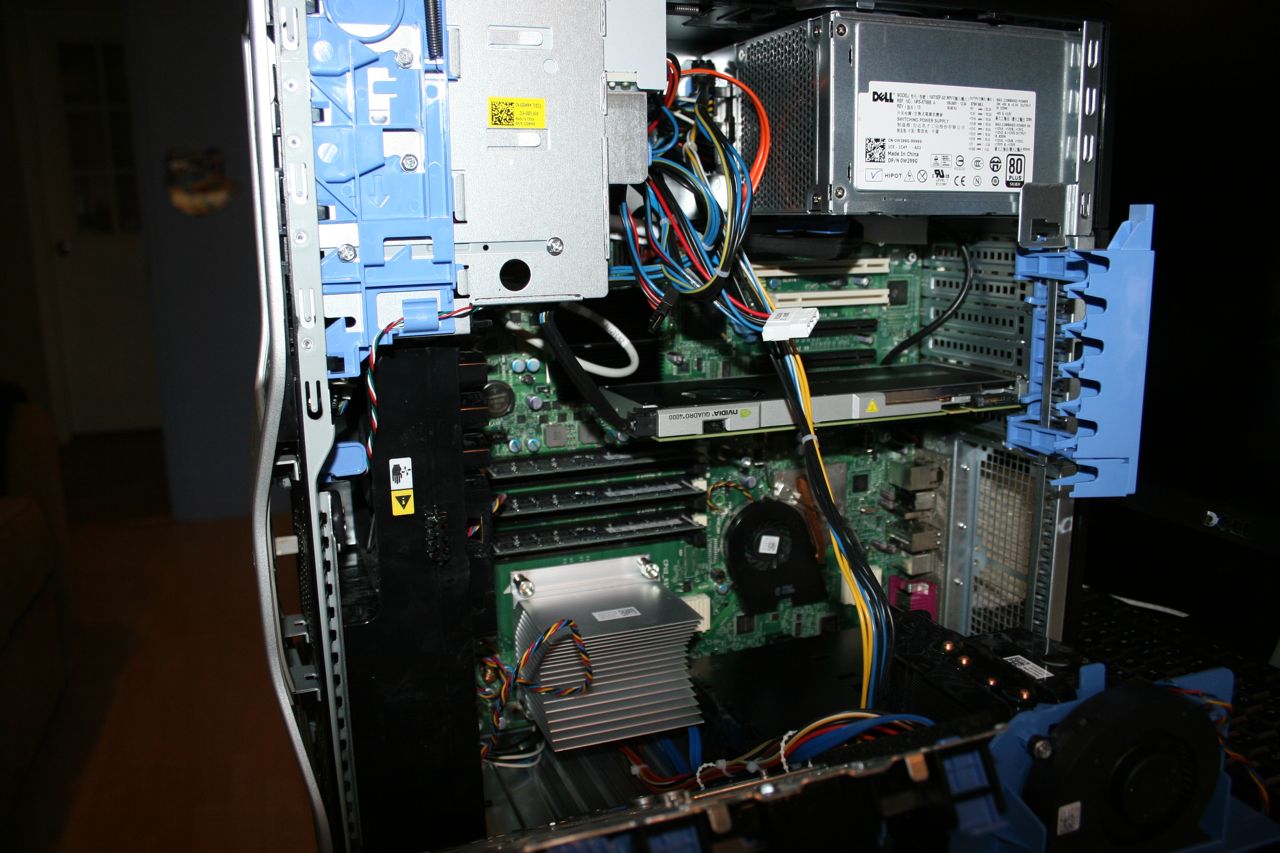
PCI cover on the right swings out of the way to get to the PCI slots (it actually swings out even further than this.) The hard drive on the bottom left drops down out of the way to get to the RAM. Even the Dual Processor riser comes completely out of the machine to make for easier access to the RAM and PCI slots.
One more surprise is how flimsy the system feels when the side cover is off. Working with the inside of the machine generally requires laying the machine on its side and back up again. When I laid it down, I could feel the machine torque a little, that is it twisted a bit. The steel frame is not rigid because the metal is pretty thin. For those who have never used a Mac Pro, it’s made from a very rigid metal frame that has no give at all, with or without the side cover on. Grabbing at two corners of this machine, I could easily twist it around a bit when the cover was off. I’m sure it’s nothing to be really concerned about, it just surprised me because it felt so rigid with the cover on.
Speaking of the inside, I absolutely positively hate the design of the PCI card area. I kind of understand what they were going for, but this design creates quite the annoying workflow for the end user. As I said in the description, Dell included a Belkin 3 Port FW800 card, but it came separately so I had to install it.
This involved…. go around to the back of the machine to unscrew the PCI slot cover. Yes, this is on the outside back of the machine. I’ve never seen the screws on the outside.
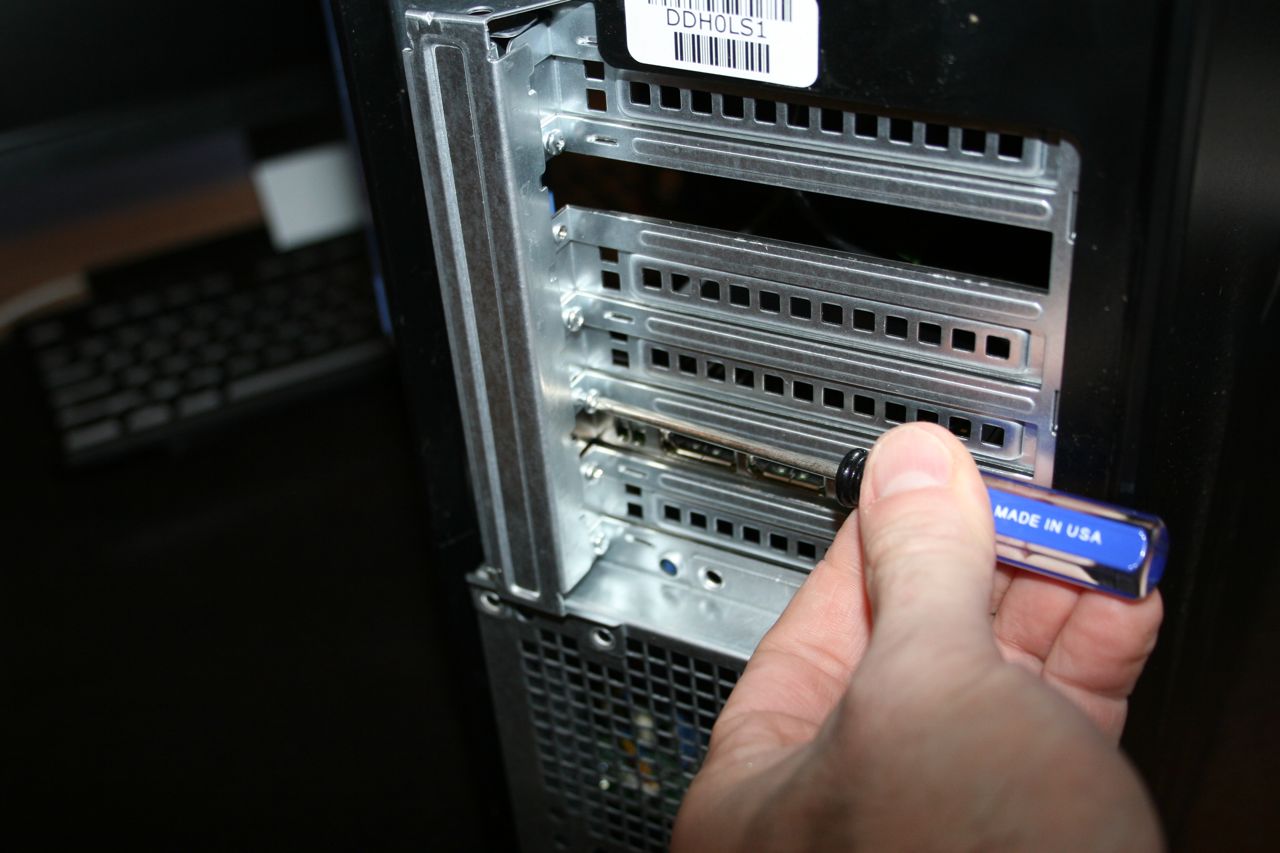
Lay the machine its side and remove the PCI Cover to access the PCI slots. Again, it swings back even further than this, I just didn’t get a picture of it. Install the card, close up the cover.
Then stand the machine up and go back around to the back of the machine and screw in the card.
I get what they’re doing, no screws to fall around inside the computer. But coming from a Mac Pro perspective, it’s annoying to have start outside the machine, go inside to set the card, then go back outside to secure the card. The no tools PCI locking system Apple has works so nicely that it kind of spoils me. Again, I get what Dell has done here and I guess this way is much better than screws falling inside the machine. Something to get used to.
And unfortunately, that’s pretty much where Part 2 of this journey is going to end. I had hoped to start testing out Premiere Pro CS 5.5 today, but during a 6 hour period, the software would not download from Adobe’s site. The Adobe Installation Assistant kept hanging at about 3/4 completed on the download even after repeated restarts with the computer. It’s not an internet issue because I downloaded the Mac version again on my iMac today and that worked in about 20 minutes. On the PC, it just would not work so all I could do was poke around with the machine and from what I could tell, the solid state boot drive made it quite snappy. Power On / Off were extremely fast. I did add the Stardock app to create a Mac OS styled dock to replace the Windows task bar. But that’s pretty much it.
From an appearance perspective, the Dell is not much to look at, but then there isn’t a single PC I’ve ever seen that is nice to look at like the Mac Pro. Of course the machine is destined to sit in our machine room, so who cares what it looks like on the outside so long as the performance is there to meet our needs. The next steps will be to try to get Adobe Premiere Pro downloaded and then install an AJA Kona LHi into the machine and see what happens when it gets into production. I’ll update with Part 3 as soon as we’re able to get this thing running with the software so we can start properly evaluating this thing.
Hmm. Bit skeptical with whatever board they are using there, it’s hard to find server mobos with only 1 ethernet port, and most of them are past still sporting parallel printer ports.
USB 3 is still mostly on the non “workstation” stuff — if you go with a i7 setup, more than likely it’ll have a handful a USB 3 ports.
I spent a few years working in PC repair, and one big issue with Dell’s is that the design seems to completely change far too often. If you get a Dell in, even if you’ve worked on 20 or 30 Dells before, the first challenge is figuring out what weird design they’ve come up with this time to open the case and move internal parts around. They usually make sense to some degree, but the fact they always change it and it’s never necessarily any better (and always flimsy) gets annoying.
It’s possible to stay spoiled; cases along the lines of what Lian Li makes (linked below) are much more well designed, elegant, and solid. Many of them incorporate a lot of screwless design too which is more than welcome-but it varies case to case. At workstation prices, I’ve never really understood what why they don’t use/develop better cases. I haven’t seen the insides of the HP z800 type stuff, I’d be interested to see if is any better.
http://www.lian-li.com/v2/en/product/product03.php?cl_index=1&sc_index=25
Cheers, thanks for sharing all this Walter!
I’m not in a position to custom build a PC yet, so I’ll definitely be going with an off the shelf solution short term. HP Z800 is the one that’s most recommended to me. But with Dell offering to let us take this machine for a test spin, this is a great way for us to not only test the performance of this machine, but also work out all the needs to make a transition to PC workflow work for us.
Walter
Interesting reading on your Dell-if they are truly serious about the creative industry I’d say they’ve got work to do. The interior wiring job appears quite messy, and the plastic covers here and there appear to be a major annoyance. It has the look of a custom build by an amateur-hope it performs better…you might try disabling anti-virus when using Adobe’s download service-it could be what is causing your hang-ups…
No anti virus software on the machine yet so that’s not causing the hang ups, but thanks anyway!
westonwoodbury, the Lian Li sure is a solid well designed case. A turnkey vendor I am considering for a dual Sandy Bridge EP build (ADK) uses them for their beefier systems. About the only thing I would get from Dell is the U2710 Ultrasharp monitor.
@lasvideo cool! May I ask what company? Do they have a website? I’d love to check them out.
If you think dealing with the hardware is a pain wait until you get a load of dealing with Windows.
No Quicklook. Installing fonts is terrible. Navigating the control panels is horrible.
Trying to find saved passwords is impossible. Dialogue boxes pop up in the middle of dual monitors. Programs that work fine one day will be buggy the next.
You have been totally spoiled by the design of Apple hardware and Mac OSX.
Windows is just a terrible operating system. You will be see very quickly when coming from the Mac OS.
I totally understand your need to switch but Windows is an absolute world of hurt!!! You will soon be looking for third party solutions to replace much of the functionality you are used to on OSX.
Then AVID on Windows with a Unity system takes frustration to a whole other level!!!
(Although I have never tried Avid version 6 yet. It might be better. It sure can’t get worse)
Interesting that you went for the QUADRO 4000.
I have a buddy who also got this deal and when he asked for the QUADRO 4000 and they offered him instead a QUADRO 2000 and a TESLA C2075, which is basically a QUADRO 6000 without a video head. You use the Quadro 2000 as the video card, and the TESLA does all the CUDA. It is called a MAXIMUS configuration I believe. And the TESLA has 448 cores and 6GB of memory, which is basically the best CUDA you will get for Premiere, an it doesn’t touch the video card to do it. He hasn’t gotten his system yet, but I can’t wait to see it through it’s paces.
I let Dell configure the system however they felt was appropriate for long form broadcast video production.
I don’t know how it fares against the MAXIMUS configuration, but the GTX580 is faster in Premiere and DiVinci then any other single Nvidia card, including the Quadro 6000. The reason would apear to be that it just plain has more CUDA cores.
If DiVinci can support it, the GTX590 would be even better. No performance boost in Premiere though.
Totally agree with LouB. The eight windows based systems I sold as a video VAR gave me more headaches than all of the 150 Mac systems combined (Avid and Media 100) on an operating system and computer hardware setup level. Never again. I’ll go to Avid Mac if Premiere 6.0 doesn’t measure up and M100 goes away, heaven forbid. Might even try to learn FCP X now that it is making progress. My combo workflow with Premiere as a front end and M100 Suite 2.1 for final is doing fine for me. Pry my Mac from my cold dead hands!
Avid MC6 totally rocks on the Mac, I’m looking forward to firing it up on Windows. We’ll still have Macs in the shop, but now I have options no matter what Apple decides to do with their hardware.