BCM Construction Day 166: Kitchen and painting

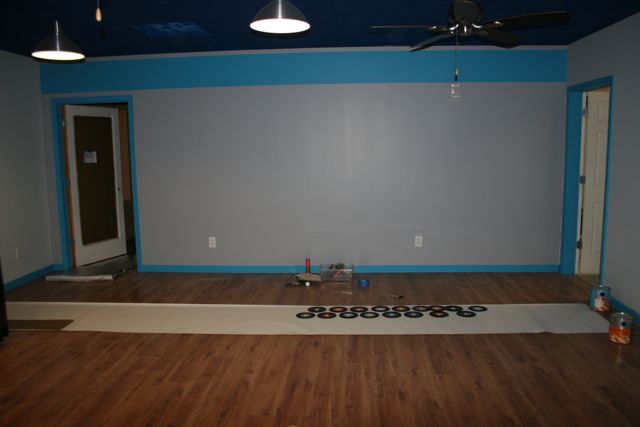
We’re really headed to the homestretch with another weekend of painting. The kitchen / gameroom is really starting to come together!

Vanna White (Rebecca) presents the kitchen / gameroom. Cabinets are in place, ceiling is painted, lighting and fans are in, dishwasher is ready for installation and the fridge is in place.

Other side of the kitchen ready for some detailing.

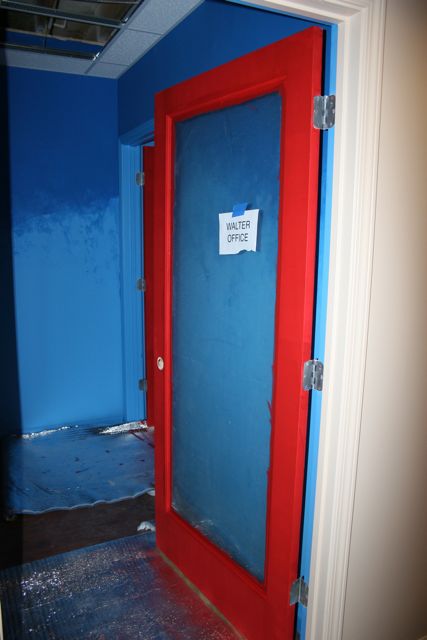
As you can see by the sign, my office door has the first coats on it.

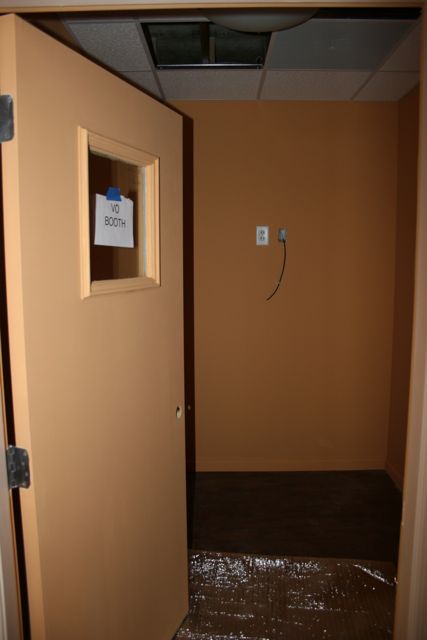
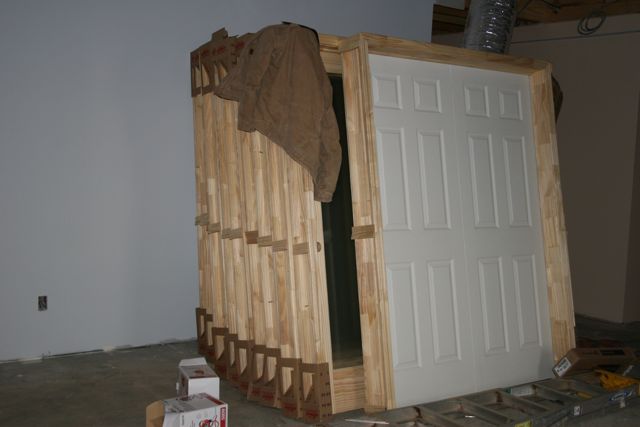
VO Booth door all painted up and ready for some tracks.

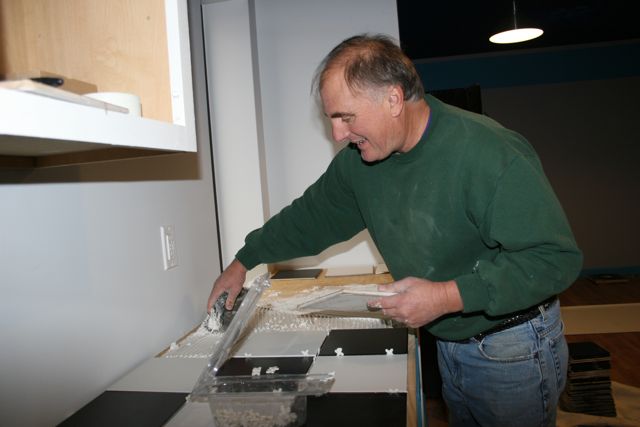
Contractor Joe McCabe laying out the kitchen counter. Incorporating the nice 50′s diner black and white tile pattern.

Joe laying in the tile.

Counter and the backsplash drying and almost ready for the grout.

Last of the ceiling tile painted black for all the production rooms. We painted over 366 of these 2 foot by 2 foot ceiling tiles. MUCH cheaper to purchase them white and then paint them than to get the black ready tiles. No clue why, but they are super expensive if you go with colored tiles.

All in all, we painted something like 8 doors, over 200 ceiling tiles and did the kitchen counters. Definitely headed to the home stretch and excited about a small event coming up this week….

BCM Construction Update Days 143-160

Did not realize just how long we’ve gone without an update. A lot of the interior finish work has been moving right along and we have a lot of photos to share so let’s get right to it!

NOVEMBER 21

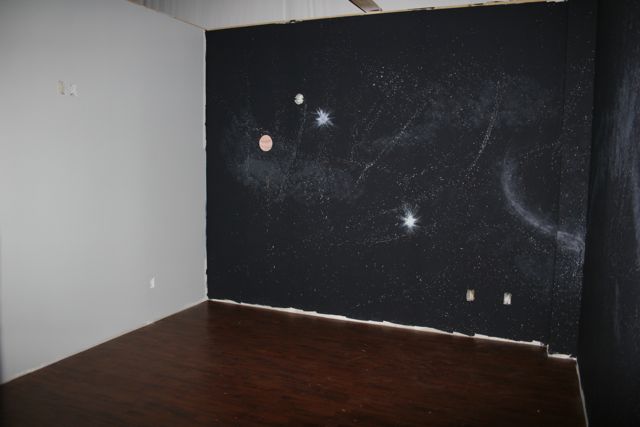
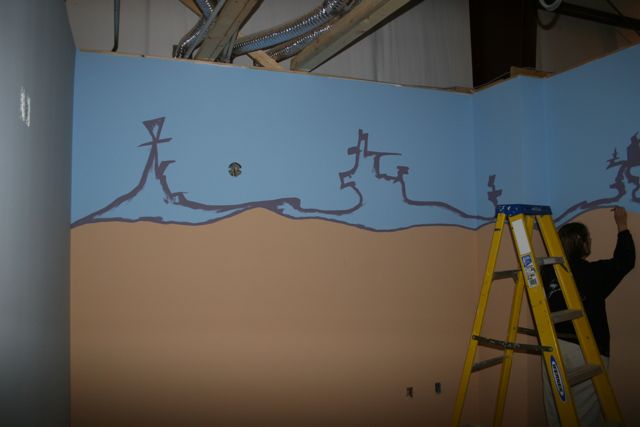
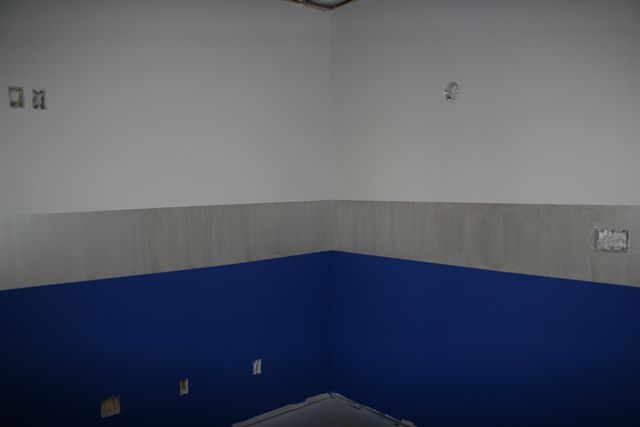
Long time Colorist and good friend Ron Anderson pitches in on the painting. Putting in the black transition from the theme walls to the front 18% grey wall in Edit 6. The transition really gives it the look of a movie screen in each room.

Rebecca touching up the leaves in Edit 3.

Two very happy building owners at the end of a very long weekend of painting! We spent the entire Thanksgiving weekend in the building painting.

NOVEMBER 24

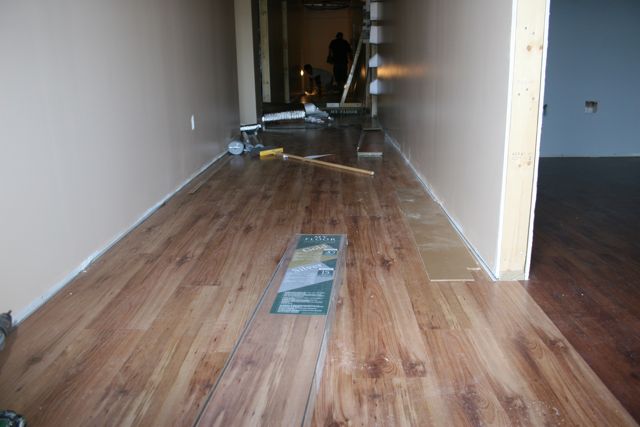
Flooring going into the front hallways. We went with a pine colored flooring in the hallways and kitchen. A darker color was used in the offices and edit suites.

Conference Room flooring. This is the darker color. You can see in the top of the photos the ceiling tiles that were run around the perimeter. This is all they do to start with and then once the electrical and HVAC is completed, they come back and finish the rest of the tiles.

Kitchen flooring. You can see the pine flooring better in this shot.

Other side of the kitchen looking down the front hallway. The big wire coming up out of the wall is for the dishwasher.

Looking down the back hallway, all prepped and ready for the lighting and base boards.

My “executive shower” framed in and ready for tile.

The screening room ceiling grid. You can see how it’s wavy like the wings of a bird. This is done to help with sound deflection. You don’t want a perfectly flat ceiling or you’ll get echo when trying to do a sound mix. Much more on the sound room design coming up in an article.

DECEMBER 1

The view as you walk in the front door. Lighting is in, base molding is in and check out the super cool lights at the top of the photo. Hard to really get the effect because of the flash on the camera, but we got two of those halogen light fixtures from IKEA that literally tilt and gimbel in every direction.

Kitchen cabinets are rough installed and the base for the counter is in as well. You can see a couple of the ceiling tiles painted the blue. It’ll represent an evening sky when we’re all said and done.

Conference room swept up, base moulding is in. The last thing to do in here is put the corkboard down both side walls.

A view down the hall. The lights give a little bit of an industrial look to the place. I didn’t want the usual track lighting or can lights that it seems everyone has. The doors are all installed and you can see the base moulding going all the way down.

Edit 1 with the wall sconces and ceiling fan in place. All the edit suites have the same sconces and black ceiling fans. You can see the grid at the top is black and we’ll be painting all the ceiling tiles black as well. Yes we could have purchased black tiles, but it’s cheaper to buy the white ones and paint them.

My office coming together, LOVE the ceiling fan!

The “executive shower” all tiled up and ready for the glass walls.

VO Booth with the solid core door. It’s actually an exterior door so it has a complete threshold. I just went with the small window so you can see if someone’s in there or if the light was left on.

Edit 4 is finally getting some details. Rebecca and Heather have been doing an amazing job with all the suites. Some of the construction guys keep asking if they are professional painters….

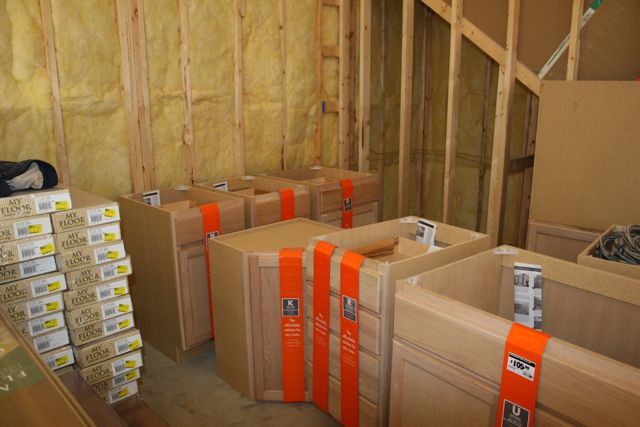
Cabinets at the ready in the Machine Room. I wanted to put a table in there anyway so we have a space to set stuff down and these unfinished cabinets from Home Depot are so cheap, we just went with these and we’ll put a counter on the top. Table and some underneath storage all in one shot!

Media Library with all the tracks and cans installed. Lots of lighting for the materials we’ll move in when we open and as we grow.

Well that’s where we are at the moment. We’re in the home stretch!

BCM_Construction_Day 142: Floors and ceilings start!

Today was a whirlwind of activity at the building. Flooring crew, ceiling crew and doors! Man, stay away for a few hours and the whole place changes!

Stack of doors ready for installation. French doors, solid doors, double doors, we pretty much have one of everything….

Ceiling grid installed in the Media Library. We’ll have a combination of black and white ceilings. Black in the production rooms and white everywhere else.

Nice Sacramento Pine laminate going into the hallways. I have installed a LOT of laminate flooring myself over the years and while it’s pretty darn easy, I’m so thankful we have someone else installing the 4800 square foot of flooring in here!

The offices have a darker flooring called Merbau. Here’s a sample of it in “The Final Frontier” edit suite.

Kitchen cabinets ready to get painted. We went with the same unfinished cabinets that are in our current offices and they’ll get the same white and teal treatment too.

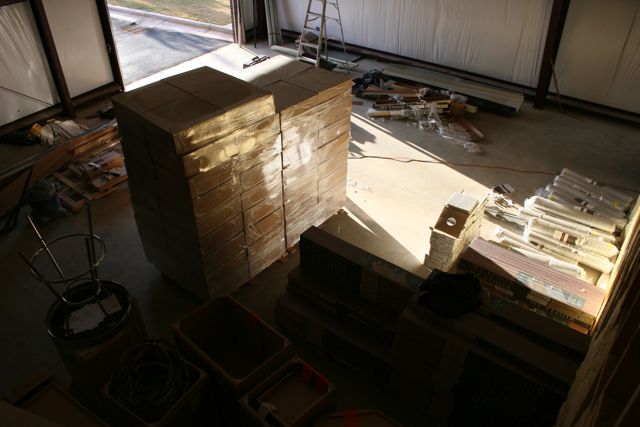
The warehouse has turned into a workshop for the ceilings and flooring. That huge stack in the center are the 2 x 2 ceiling tiles and the boxes / rolls to the right are the laminate flooring. It’s nice to actually HAVE a warehouse where we can throw a bunch of stuff and not have it in the way.

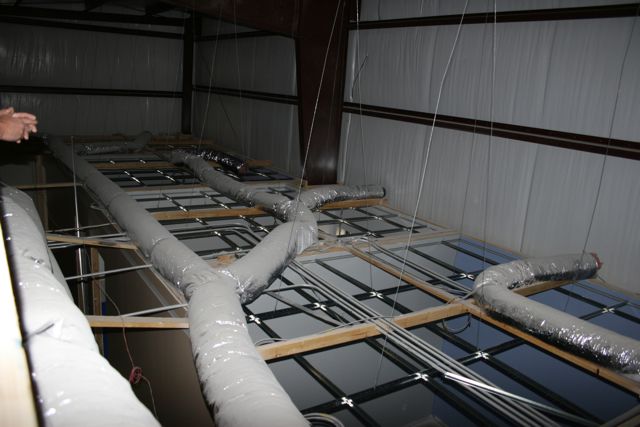
Looking down from above on some of the offices. Ceiling grids are in place and ready to go.

So from nothing to all of this in a matter of hours. Joe has an amazing crew going on this building. Definitely more tomorrow!!

Tangent releases vWave Lite for iPad

This past week Tangent Devices released the Tangent Wave Lite for use with the iPad. This mimics the Shadows, Gamma and Highlight control wheels that you would find on a control surface like the Tangent Wave.

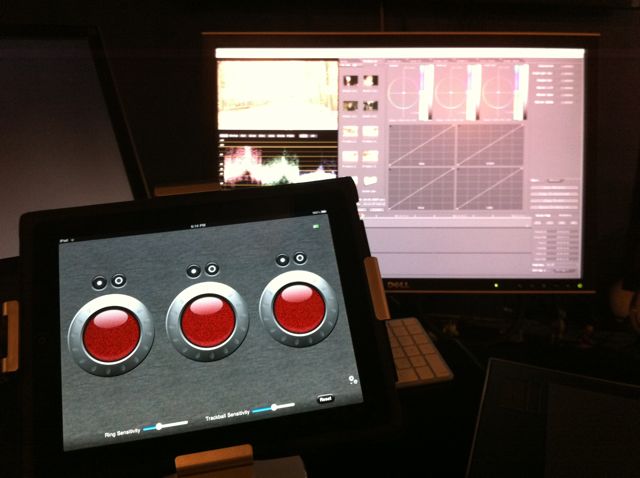
You can see how the controls really mimic the look of a standard color control panel. They even have the reset buttons in the right place and you can control the Ring and Trackball sensitivity. My iPad is sitting up on a Rocketfish stand that holds the iPad up off the desk so I can still operate my tablet alongside of it.

How does it work? Surprisingly well! I started working the colors with two hands very similarly to how I actually operate the Wave Panel itself. The trackballs really operate very true to life where you can “spin” them and they keep spinning based on how hard you spun them.

The rings work exactly as you would expect from a real control surface. The neat thing is if you’ve never worked with a control surface, you can finally experience how nice it is to be able to work with both hands at the same time. You can operate two different controls simultaneously which makes your work that much faster.

The only downside to this app has nothing to do with the app at all. It’s just that the iPad does not provide any tactile information on what you’re operating. With a real control panel, once you get used to it, you almost never look at the control surface because you can feel for the controls with your hands. With the iPad you have to keep looking at the screen to grab the right controls first and then you can start working.

I kept hitting the ring when I wanted the trackball and vice versa. Again, no fault of Tangent, but just the way the iPad works.

Scott Simmons over at EditBlog heard an idea to use the app in conjunction with a mouse / tablet basically using it as “big sliders” to operate the wheels faster and easier than with a mouse or a pen. Neat idea.

I think this app is really good for anyone who is considering a control surface and what does it bring to the table? You can download this app for free and get a sense of how it is to operate with a control surface. I really didn’t understand how much a control surface would help me until I started using one. They really do make your color work much more efficient.

If you have an iPad and use Apple Color, definitely download the app and give it a spin. VERY well done app and I hope Tangent has more plans to upgrade this app with even more control.

BCM_Construction_Day 140: Painting and parking lot

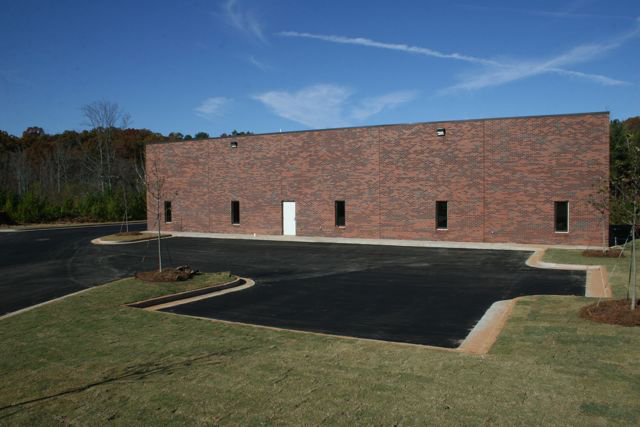
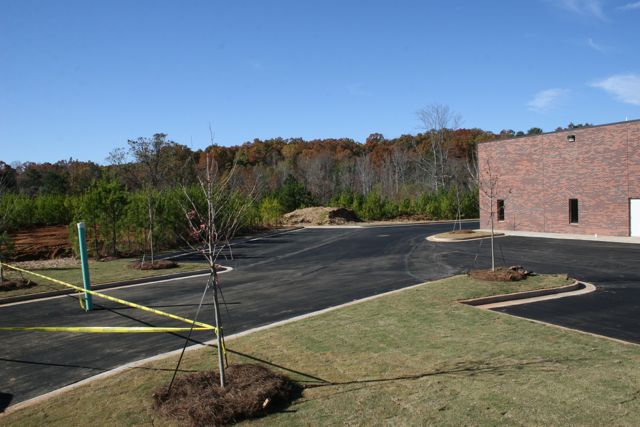
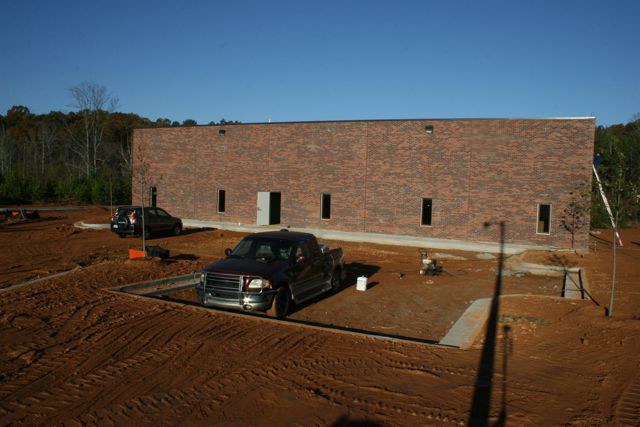
We went into the building on Saturday to do some of the detail painting and found a completed parking lot! Finally, we can stop walking through mud and dirt to get into the building. Landscaping came out fantastic too. It’s a good base to get us started and we’ll definitely be modifying it as we move along.

“Time Lapse” View one. You can see how nice the landscaping came out up the right side.

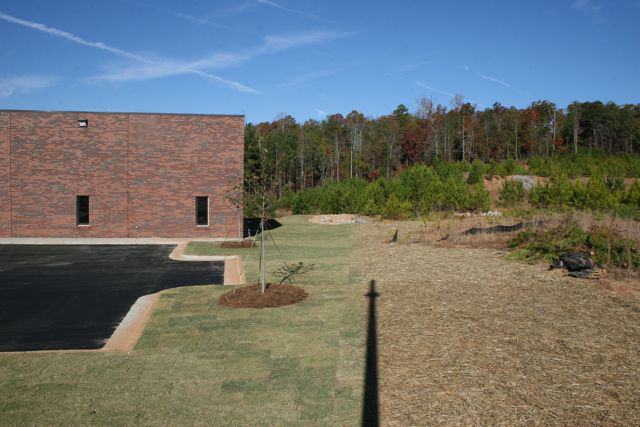
“Time Lapse” view two. Amazing how nicely everything cleans up when the parking lot goes in.

“Time lapse” view three. We have something like 21 or 24 total parking spaces in the lot so we’ll finally have plenty of room for everyone to park.

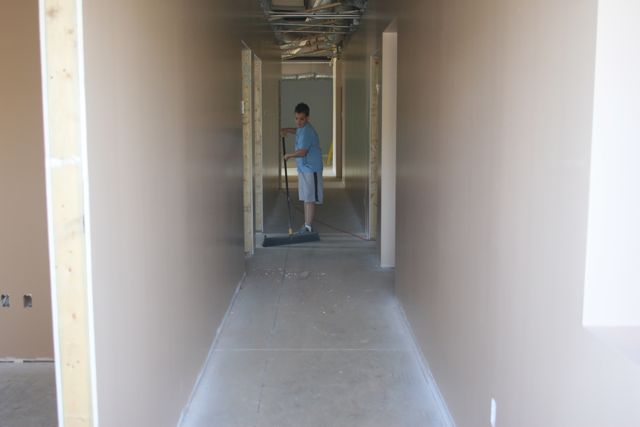
My nephew Quinn pitching in with the broom. Slow and steady….

Me and Rebecca’s sister Heather laying down some very expensive “Frog Tape” in one of the offices. It’s like that blue painter’s tape that you use for keeping paint edges clean, but this stuff supposedly creates very hard edges, which is what Rebecca was looking for. Always saw that tape at Home Depot but never got it until now, hope it’s worth the money….

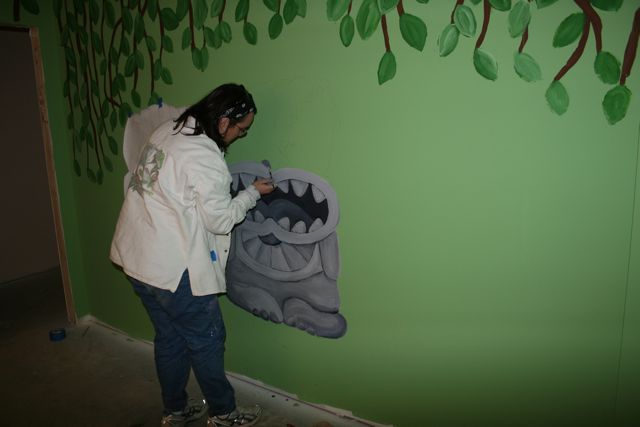
Heather working on a cool little detail in the JungleLand room.

My edit suite coming along with some details outlined.

Frog tape removed. Rebecca painted that center area that same 18% grey we’re using in the edit suites and then applied a metallic glaze to give it a silver appearance. It came out really great!

Looks like the frog tape was worth it! Look at that sharp edge. That’s so much better than with blue tape.

Details filled in my edit suite. That’s a detail I didn’t have in my original edit suite and it really adds some neat elements to it.

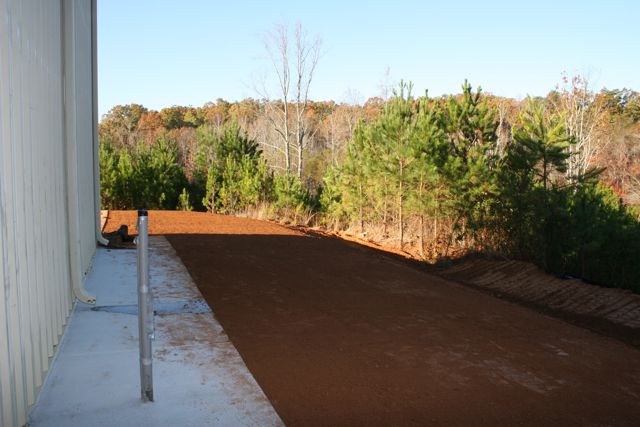
Here’s a nice look at the back. We absolutely love this location with the natural backdrop. So when we want to take a break, we can go out back and toss the frisbee around with Molly!

Another week done and the building is moving along. Next up, ceilings, flooring and then the lighting starts going in.

BCM_Construction_Day 139: Parking Lot and Landscaping

Major changes outside today. From morning to afternoon the exterior took on a major change…..

8:30am, prepping the parking lot, smoothing and grading everything properly.

Looking further to the left, dump truck taking away some of the extra dirt left over in the parking lot.

8:30am working the hill in back of the building. Prepping for laying down matting which will help to hold the hill in place until the grass takes hold.

Just like my old Tonka toys, only MUCH bigger!

Smoothing out the parking lot. Really gotta get a chance to play with one of these things.

12:30pm, landscaper smoothing out the land alongside our property to clean it up.

12:30pm, dirt is gone, replaced by gravel.

Smoothing the gravel in the driveway as a tree is set up in the foreground.

The big Tonka toy smoothing gravel.

Nice clean river rocks up against the building to make for much easier maintenance.

Smoothing the gravel on the side of the building.

Roger, Jenny and Adrienne check out the new landscaping behind the building. Eventually we will be turning this into a really nice outdoor enjoyment area.

4:30pm, asphalt is going in.

As you know, asphalt is very hot when it goes in. Kind of a cool haze is created though with the backlighting from the sun.

Smoothing out and moving the asphalt by hand. They guys were doing one heckuva job out there. Just another in a line of outstanding subcontractors brought in by Joe and Metal Building Associates on this project. Could not be happier with the work of everyone.

Smoothing out the parking lot in front of the building.

Well this is where we left them at 5:00pm tonight. They were still waiting on more asphalt trucks to show up so hopefully they got everything done. We’ll know in the morning when we go back to do some more painting….

BCM_Construction_Day 138: Landscaping!

Really REALLY excited to see the attention focused back outside the building. The past few entries have mainly been us painting, but today the landscapers really took over.

Here’s how everything looked first thing this morning. That ladder on the right is the brick guys cleaning up the brick.

Cute little Red Maple trees will soon be big beautiful trees to border the parking lot.

The backyard area this morning……

…and about three hours later with some beautiful sod laid down. We’ve got some great plans for the backyard area to make it a really nice space to sit back and relax. Particularly since we back up to the woods.

Island curbing in the parking lot with another Red Maple. We’ll be putting some more plants and flowers in here come the spring. It’s funny, I’m a Producer / Editor, never thought I would be thinking about curbing, islands, sod and what trees to plant in a parking lot!

Just HAD to take a picture of this. Made me totally crack up. Not sure what you do with a microwave and sod…..

Apparently this is how you move a pallet of sod with a microwave…..

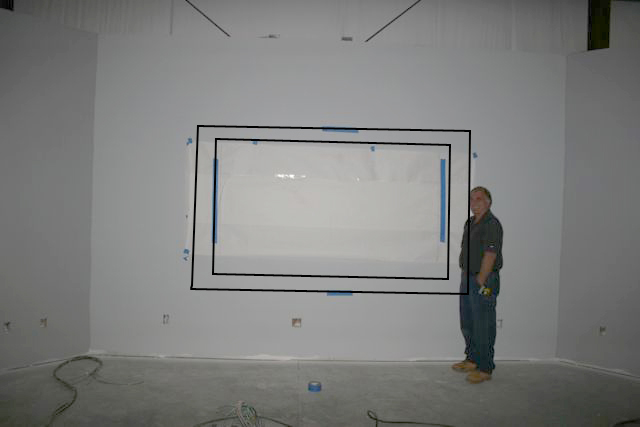
Joe and I did go inside to check on one thing. I’m trying to figure out whether to get a 10′ diagonal or 8′ diagonal screen for the Screening Room. I got Joe to pose in there for a sense of scale. I’m thinking it’ll be the 8′. Afraid the 10′ will overwhelm the room.

Well here is the “time lapse” view at the end of the day. Well the end of MY day, those guys were still working hard when we left.

“Time lapse” view 2. You can now see all the sod in the foreground. NO, that white door in the front is not the actual front door. It will be replaced right near the end of final construction so it doesn’t get damaged from folks going in and out. The brick looks absolutely stunning now that it’s all cleaned up.

“Time lapse” view 3. That worker is using a machette to cut the sod. Pretty cool to watch.

So that’s it for today. Tomorrow…. parking lot goes in! Finally! No more dirt or mud into the building! Yay!


Jumping whole hog into CatDV

We made the decision today to step up from a single user version to the Enterprise Version of CatDV from Squarebox.

I’ll be honest and say I don’t even understand everything this software can do because it does so much, but it’s incredibly powerful, incredibly deep and in just the short time we’ve had it, it’s already helped us get our library and media more organized. What I flat out love is the ability to create proxy files so when we search for media, transcriptions, etc… we don’t just see a description of the tape log or the words from the transcriptions. We see the actual video clips so we know right away if a shot or interview will work. That’s a HUGE timesaver.

In our case, we’re only keeping the proxies online as we just don’t have a need for our entire library to be live at all times. CatDV keeps all the media locations as part of the metadata for each clip so we can very easily load the full rez clips from the archive drives.

Lots more to update on this as we really get into the software and what the Enterprise version will bring us vs. the single user beside just allowing multiple people to access the database at a time. In fact we’re hoping to offer some workshops and training seminars in our new location next year.

BCM_Construction_Days 133-135

It was another fun filled weekend of painting. We’re getting closer and closer to getting to move in.

The curb out front is finally going away. Getting ready to install the concrete apron from the street and then soon the parking lot!

Adrienne wondering why she painted some blue trim on the top of the wall when only the bottom of the wall was supposed to be blue. Hmmmmmm, it’s a mystery.

Roger painting one of the edit suites. iPhone was a little shaky when I took the photo…

Rebecca working on the newly dubbed “Mushu” edit suite. Rebecca picked out all the colors for the entire shop and did a fantastic job.

A peek into the new JungleLand suite.

Heather showing off her handiwork with trees. She did a nice job designing the look.

A look at the Conference room. We’ll have corkboard down both sides for storyboards and production notes.

Voice over booth really starting to look good! Plenty of room for two folks to do dialogue work or even vocals.

A peek at the Final Frontier suite.

Looks like Adrienne got the blue on the right side of the wall after all…..

Well that’s enough of a peek for today. Ceilings, floors and parking lot are next along with more detail paint work. In case you’re wondering, all the paints came from Porter PPG paints. Our contractor Joe insisted that we use their paints and they have been outstanding. Colors match exactly to their swatches and the coverage has been excellent.


Testing the Canon XF305 Camera

We got the opportunity to test out the brand new Canon XF305 camera. Now as most of you already know, I’m not a camera operator, I don’t claim to be a camera expert, but the reason why Canon asked me to test it out is because being an independent Post Production company, we have edited with footage from practically every camera on the market. So Canon really wanted me to look at the 305 from an image quality standpoint. For $8,000 I’m expecting an image to at the very least rival that of the Panasonic HVX-200.

During our initial meeting I was concerned because the reps told me the shooting format is 50 Mbps Long GOP, but I was assured that since it’s 4:2:2 color space, the image was outstanding. I will say I was VERY skeptical that MPEG-2 at 50 Mbps was going to look that good. We do a lot of work with the Panasonic 100Mbps P2 camera lineup and in particular, the HPX370 shooting the AVC-Intra codec.

So we took the camera out on a simple outdoor shoot to get some lead ins for a new pilot we’re producing. Here’s John setting up the camera before the shoot.
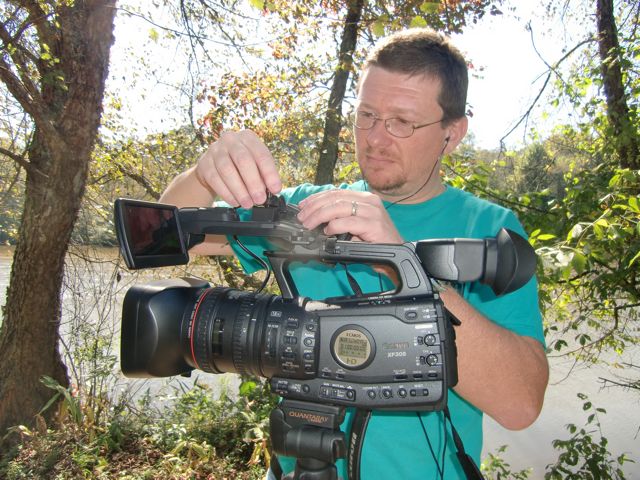
From this side of the camera it looks like what you would expect from a Canon camera, from the other side, it looks remarkably similar to the Panasonic HVX-200. Now as a camera, it has all the functions you would expect from a Pro / Prosumer camera in this range. Pro Audio connections, decent zoom controls, etc…. The LCD display on the front is pretty slick the way it tucks up out of the way when not in use. Controls were all well placed and functioned pretty well.

Well, except for the focus control. It has three settings which we didn’t realize. We thought it only had two and John was having a heck of a time focusing with the lens essentially in “consumer” mode so the focus ring was essentially free spinning. Very weird and we’re not sure why Canon would even offer that on what’s a “Pro” camera.
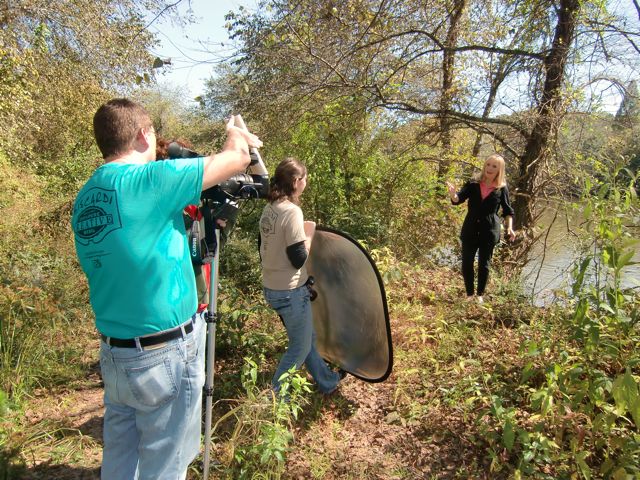
Sharon Collins standing near the river, Adrienne Latham holding the reflector and John at the camera. We used a mono-pod with the thing since it was so light and small, that actually worked pretty well. From a user standpoint, it’s pretty easy to use if you have experience using Pro cameras. But there was one very big “gotcha” that we could not quite figure out, nor could the Canon reps get us an answer by the time I’m typing this.

The first day we tested the camera it was set to a Tungsten setting on the internal menus. We didn’t realize this since the filters on the lens all looked normal, but there is an internal setting for outdoors, indoors, etc… and the camera was set for Tungsten lighting. What I would expect to happen in this situation is our color balance would be thrown off and it was. The resulting images were very golden.

But another very troubling issue also appeared. You can kind of see it in the image above, the image looks a bit fuzzy. There is compression noise all over the place. Here’s a detail of the above image.

This was weird quite honestly. We’ve shot with many cameras in the past and when you have the camera set up for the wrong type of lighting it throws the colors off but doesn’t automatically add a ton of compression. Especially when shooting outdoors where you have excellent lighting. If we were in a very low light situation we could totally understand all this noise, but we’re outside on a sunny day. All that mess in the blacks just would not go away no matter how much we adjusted the iris. When we switched the camera over to daylight lighting, the “mess” went away. The folks at Canon are trying to get an answer as to what caused this issue and if I get information, I will update this blog.

So once the camera was set up correctly, how did it look? Well it looked “ok.” It wasn’t bad, it wasn’t great, it was ok. The footage has what I call a “digital” look to it. It’s hard to quantify but it just doesn’t look as natural as an HD camera should. I think this is a result of the lower data rate of the codec. 4:2:2 color space is nice, but you’re squeezing that down into a 50Mbps that is half the data information as 100Mbps DVCPro HD/AVC-Intra codecs so something has to give.

So it’s an “ok” camera in my opinion from a quality standpoint. The real issue I have here is the price point. It’s $8,000 and has a fixed lens. Couple that with the 50Mbps quality, the camera costs about $3,000 more than the Panny HVX-200 yet records with half the data rate. For another $2,000 I can pick up the Panny HPX-370 which shoots AVC-Intra codec and has interchangeable lenses. So for $8,000 I expect to get a camera capable of producing a recorded image equal to the HVX-200 and pretty darn near the quality of the 370.

Note I said RECORDED quality. If you simply compare the digital image from each of the cameras via HD-SDI, you’ll find they all look similar and quite honestly the Canon 305 would make a nice, inexpensive studio camera. BUT, the proof of the pudding with any video camera is the recorded image. As we just tested the Panny 370 and we use footage from the HVX-200 all the time, I can tell you that the quality of the recorded image is inferior to both of those camera. It’s not horrible, but for $8000 I expect sharper resolution, less noise, and less artifacts in my image. For my money, I would rather spend the extra $2000 to get the higher resolution and interchangeable lenses of the Panny 370. Or save $3,000 to pick up the HVX-200.

I really REALLY like Canon’s lenses and I think this is an interesting move on their part to move into a “professional” camera product. In fact I plan to get some Canon lenses once we order our Panny 370. But I just think their choice of codec and particularly their pricing structure just misses the mark. Make an $8000 camera with interchangeable lenses and they might have something, and make it even better by switching to a 100 Mbps codec.

That’s my 2 cents looking at this camera from an image quality standpoint.