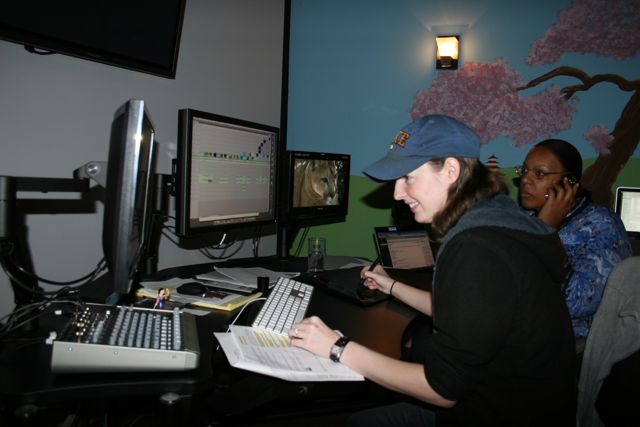
“That doesn’t look like a Mac” (hint, it isn’t)

Two boxes showed up today and one of my employees says, “That doesn’t look like a Mac.”

Nope, that’s a long way from a Mac. That’s a brand new Dell Precision workstation featuring an nVidia Quadro card. I’ll post the full details on the workstation once I get it out of the box and set up which will happen later this weekend.

If you’ve been following along in my blogs you know we’re transitioning over to an Adobe / Avid workflow from 11 years of running Final Cut Pro and cross platform compatibility is one of the reasons for the change. If we go with Final Cut Pro X we have no choice but to run Apple hardware and all indications from Apple are showing the end of the “big iron” desktop is coming to a close. Whereas with Windows and Linux, there are still plenty of workstations to choose from with lots and lots of horsepower for the work we’re doing. So it makes sense to go with software that allows us to work on both Mac and Windows so we’re never limited by what just one company will provide us for hardware.

Dell? Seriously?

So of course, I’m a Mac guy and when I made the decision to go for cross platform workstations, my first step was to contact colleagues that have been running Windows for some time. I have literally NEVER used a Windows machine for work. Since 1993 I have been editing with NLE’s solely on the Apple platform. I have had PCs in the past for personal use and my wife still has a PC laptop, but I literally have a MacBook Pro, iMac, iPhone and iPad all within arm’s reach as I write this and my company owns about 20 or 30 Mac computers of one sort or another. It was imperative that I reach out to my colleagues for first hand advice on how to spec out a Windows machine.

I also reached out to all my third party vendors to ensure that our hardware would be compatible with the Windows box. All of my colleagues overwhelmingly recommended HP and in particular the Z800 model. Super fast workstation and from all accounts, can put the Mac Pro to shame when running Adobe software in particular. So how did I end up with a Dell workstation? Especially when not a single colleague even mentioned the brand?

Rather simple really. They asked.

Someone at Dell has been following along with my transition from Final Cut Pro to the Adobe / Avid workflow and saw that I was talking with my VAR to get a demo PC workstation to test in our facility. Dell reached out and that led to some conversations back and forth which led to them offering to let me test out one of their Precision workstations along with a copy of Adobe Production Premium CS 5.5 for Windows. Well that was a no-brainer for me and it makes things a little easier for my VAR. He didn’t have to assemble a workstation just for me to test and Dell gets feedback from us in a real-world Post situation during a 12 week test.

Then things changed a little further and requires me to make a full disclosure so everything is out in the open. The Precision workstation is no longer a demo machine, the workstation is now ours to keep, whether we like it or not. This was wholly unexpected and something I never would have asked for because it would be unreasonable to ask a computer company to simply give away one of their top of the line products just to have it tested out. But as the folks at Dell told me, they are serious about the creative industry and want to get their products into the hands of Post professionals in real world situations and get honest feedback. They want it here for much longer than 12 weeks.

The Rules.

Rule Number One: There are NO RULES. Yep, that’s the agreement. I am free to blog and write about this machine exactly as I see it.

I would not have it any other way. If there were strings attached to this offer, the machine would not be here. If there’s one thing I’m most proud of, is the fact that my product reviews are my honest opinion. If I don’t like something, you’re sure as heck going to know about it. I made that very clear with Dell when we spoke.

So what you’re going to read and hear from me in the coming weeks will be my own words, my own opinions. The Good, the Bad and the Ugly. So pull down on the lap bar and keep your hands inside the car at all times. This is bound to be an interesting ride…….
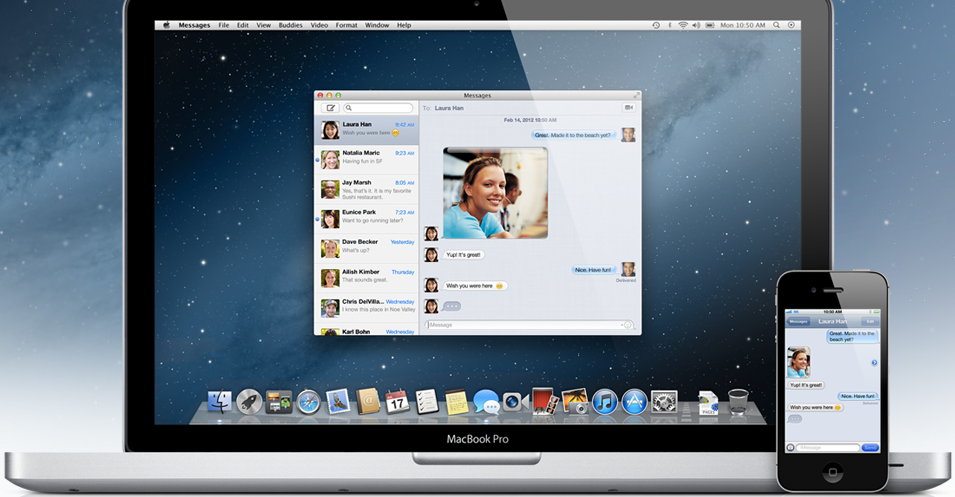
Apple OS X “Mountain Lion” coming this summer

Apple has recently announced that a new OS is already on the horizon for the Mac, OS X Mountain Lion. If you watch the overview video on the website, it does a nice job of presenting the basic features of the OS and how it draws a lot of features from the iOS devices. I’ve seen a couple of early articles that make a big deal out of the fact that that new name is just OS X, not Mac OS X. I honestly don’t care about the name, I think this is more about Apple recognizing that OS X Lion was not quite ready for prime time and instead of updating it, they’re replacing it with a new OS.

But after watching the video overview, I am very intrigued by how easily it shares information with the iOS devices.

Right now it is pretty easy to share information from your iPad / iPhone apps in the form of emails and PDFs for the most part. As in, you create a document or a drawing or information on your iDevice and then send it to someone on a Mac as a PDF, JPEG or email to share. But for many iOS apps, you can’t share the original document to be edited with the same or similar app on the Mac laptop / desktop. There’s usually a workaround that you “bring the file into this other app on your computer, make the changes, then you can send it back to the iPad where our app will read it.”

But if Mountain Lion is going to be bringing iOS elements to the desktop / laptop realm, this can open up exciting possibilities for the creative professional. Will it soon be possible for…

A) Much tighter integration between iOS Apps and Mac Desktop / Laptop apps?

B) iOS Apps to be able to run on a Mac Desktop or Laptop?


Let’s start with A)

If you watch the video on Apple’s site, the answer to the first question is a resounding “Yes.” Sure these are some simple tasks and everything shown revolves around Apple apps or games. But it does make me wonder about professional apps.

We know that Adobe and Avid already have iOS apps. And there are some professional apps on the desktop / laptop that allow you to control them via an iDevice. But what if you could interact with another creative artist from anywhere via your iOS device or vice versa?

I’m working with an After Effects artist and I need to see their comp to work out a timing issue, I pull up the Adobe Interface app on my iPad, log in to their computer and their comp opens up. I simply click on an area of the interface and that goes full screen on my iPad so I can inspect and work with that area. The changes are happening in realtime on the artist’s computer.

I meet my client for lunch to review a project and I leave my Avid timeline up on my primary computer back at my office. At the restaurant I pull up the Avid timeline on my iPad and we have a full project review while eating, even creating a new timeline and revisions before dessert. When I get back to the shop, all of my changes are there waiting for me. Reversely as I’m on the way to meet the client I realize I forgot to change out the credit roll, I call the shop and ask one of my editors to make the change for me. As our lunch starts, the project I open on my iPad has been revised with the new credit roll.

How about an application that makes proxy files in the field of your entire shoot allowing you to do a complete rough cut on your iDevice which then opens up in the application of your choice back at the shop. Sure the iPad or iPhone might be a little small to work with, but add the Airplay option and you can work on a larger screen.

This is just the tip of the iceberg. Give the pro developers enough time and we could eventually move towards seamless integration between the “computers” and “iDevices” allowing near realtime collaboration for artists no matter what software / task they are trying to accomplish.

Now to B)

Thanks to the incredible Prolost Blog, I found the great storyboarding app for the iPad, Penultimate. And while you’re there reading that article, be sure to check out the rest of his blog for lots of incredible tips, I’m very jealous and will have to start writing more, but I digress… :)

This is an awesome storyboard app that really plays to the strength of what the iPad is all about. Instead of sketching on paper or having to use a full blown graphics app like Photoshop, I can very easily and quickly do thumbnail sketches of what we’re going to shoot. We can erase and make changes on the fly right there on set.

Now I can share those sketches via PDF files to anyone, but it would be so awesome if Penultimate was also available on my Mac. I’m the field with my crew and there’s a question on the upcoming shot. The DP doesn’t remember the scene being described that way, he thought the camera was going to move completely differently with a wider angle. So I send the storyboard sketches to the Executive Producer who opens them up on their laptop, changes the sketches and then pushes them back up via iCloud. This takes a matter of minutes and we’re done because we’re using the original files and not PDF shares that we have to talk about, I make the changes on my end, send the changes for review, etc….. If we can both use the exact same app, things just move faster.

There are a lot of very useful apps on the iDevices that would be even more useful with allowing instant collaboration between them and “computers.” Yes there are many apps that can interchange with computer based software, but wouldn’t it just be easier if you can just work in that exact same app across the board? Scripting, logging, TimeCode readers, etc…. Movie*Slate comes to mind. It does make very nice PDF and HTML files to share across multiple users, but if I could open that same app on a computer, I could go back in and very easily enhance the quick logs on another computer and output them once instead of bringing the logs into Pages, reformatting them and then typing.

So while others might be concerned, for whatever reason, that “Mac” was dropped from the OS X name, I’m very intrigued to see how this new merging of the portable and desktop based OS will make our future workflows more efficient and even more portable than they are today.

Of course there’s always the flip side where one has to wonder how the merging of iOS and OS X will affect the professional applications we all know and love today…..


BCM to go with an Adobe / Avid combination for Post

After months of testing, playing, discussing, testing, playing, and then discussing some more, we’ve decided that Biscardi Creative Media will support both Adobe Premiere Pro and Avid Media Composer workflows moving forward.

What we found as we went through the testing is that there are positives and negatives to both systems so it’s really hard to just choose one. As my editors got to playing with both systems it became clear that for certain workflows, one tool works better than the other. So why limit ourselves to JUST one or the other. Put both tools in the toolbox and utilize the most efficient tool for the job at hand.

With Adobe, it still feels too much like it was “designed by an engineer” and not by editors. If you go with the Adobe keyboard presets, it’s not all that intuitive if you’re coming from FCP or Avid. Switching to the FCP presets makes things a bit better, but things like track assignments, stereo vs. mono tracks and other functions throughout the app that should be simple, sometimes are a bit convoluted. Such as not making it all that easy to adjust your audio before placing the material into the timeline, FCP was much easier with the multi-tabbed Source window layout. The more you play with Premiere Pro, the more you “forget FCP” and adapt your workflow to the new tool.

The biggest hit against Premiere Pro now out on the forums is the sometimes tremendous render times at the end of a project. This is mainly due to the fact that Premiere Pro can utilize just about ANY format natively, and in realtime during the edit. The price you pay is that at the very end of the project, you must render the entire timeline and depending on the raw formats, timeline settings and other variables, it can sometimes add up to a significant render time that far exceeds anything we saw in FCP. This can definitely be a scary prospect when you’ve got a tight deadline to get something out the door.

Now the absolute positive about Premiere IS the ability to edit in just about any format. I had a timeline with RED 4k, DVCPro HD, HDV and a few others and the darn thing just played. No need for conversion, no waiting, no special formulas. This is fantastic for shorter projects and we’ve especially found it useful for creating sizzle reels and pitches for networks. I recently cut a 6 minute sizzle reel using YouTube videos, H.264 HD files, ProRes and an MPEG-2 in about 4 hours flat because I didn’t have to convert anything. I even had time to design a quick logo and make lower thirds. That was fast.

Adobe has gotten a ton and I mean a TON of feedback from newly converted FCP users and hopefully they’ll be able to combine the legacy of the underlying horsepower of their system with making the system more editor centric and less engineer centric as the product line moves forward. They have been truly open and honest about listening to the end users. I expect great things of Premiere Pro over the next few years.

Avid Media Composer 6 just far exceeded anything we expected from the third party support perspective. AJA Kona Boards - Work. Small Tree Ethernet SAN (NAS) - Works. Tape capture and mastering - Solid.

The biggest thing to understand with MC6 is that while the AMA features do work, they tend to bog down the system very quickly. AMA is Avid’s attempt to edit non Avid footage natively. You can bring the footage into the project and you can edit with DVCPro HD, ProRes, DSLR footage natively, sort of. Start putting these clips into the timeline and your system can crawl to stop.

The obvious way around this is to simply convert everything to DNxHD. We have found this to be an incredibly painless and efficient process with Avid so that’s what we’re doing with all of our Avid projects. The conversion happens by simply “Importing” the footage. No “Log and Transfer” type of operation necessary. Just grab the clips and “Import” and Avid will convert all the footage based on your Import settings you establish in the preferences. Quite simple actually and we find the process happens faster than Apple ProRes conversion process.

Now the only unknown is to see how well Avid can transition from a big box company to a software predominated company. That’s a big change to the open architecture so we’ll have to see how they make that work.

Now the other big reason why we are making this transition to both Adobe and Avid at this time is the cross platform nature of both applications. As we are at the point where we need to start upgrading our older Mac Pro systems, these software platforms give me the option to transition over to Windows if I should so choose. I would never change over my Mac to Windows overnight as that would be silly, but simply have the Macs work alongside the Windows machines as we need to upgrade and replace.

So for us, being an independent Post Production facility, we have found no reason to simply settle on either Avid or Adobe at this time. We’ll simply use the best tool for the job at hand.

Thank You Dan Desmet

I remember the very first time I spoke with Dan Desmet. Id never met him, but the voice was so familiar and I just couldn’t place it. And then I remembered, the scientist from Lilo and Stitch. Dan could have easily been the voice actor for that role. Especially since he was talking a lot of technical data on the phone, he could have been describing the new version of Experiment 626. I knew I liked him right away.

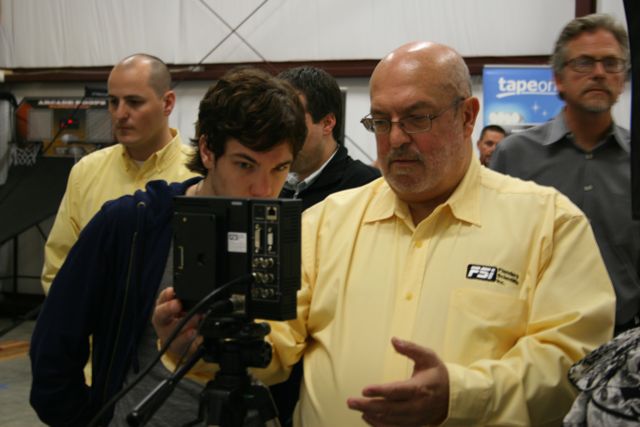
Dan Desmet shows off the FSI 9 monitor at our Open House in March 2011.

Many of you know Dan and his son, Bram, as the two of the principals of the company Flanders Scientific which has made many of our professional lives much better with their array of incredible monitors. The company was started with a very simple idea, make a better product, make it affordable and then listen to the customer for new improvements. This simple idea has led to one of the most successful companies I’ve ever been associated with.

But here’s what I know about Dan. His incredible warmth. The man loved to laugh and his laughter would fill a room. A visit with Dan was never just about business. Oh sure we’d chat about the latest thing they had going on, what features would we like in their products and whatnot. But more-so, we just talked, usually over a simple meal at a local Italian restaurant. Stories of growing up in his native Belgium. His surprise when a certain Simpsons character started showing up in his email box after they named the company. I learned more about Dan and his family than pretty much anyone outside my own family. More than anything else, we laughed. He really enjoyed life and it was pleasure to share a meal with him. And of course we talked a lot about family.

The real story of Flanders Scientific is not about technology at all, its about family. A small family company built on hard work and dedication to a passion. Its about doing the right thing, doing it the right way and treating those around you with dignity and respect. Doing it the right way applied even to the business structure. While Dan was certainly the face of the company when it started, from day one it was never designed to be run solely by one person. It is a true collaboration with all members involved in the design, creation and support of the product line. Anyone who has spent time with Bram, Johan or Yoke know just how incredibly smart these folks are and what good hands the company is in. They have some incredible products coming down the pipeline to carry on Dan’s legacy. This is why all my monitors come from FSI and will continue to do so.

In many ways, the story of FSI is a continuation of the immigrant story begun by my own grandfather in the 1930s. A simple tailor from southern Italy, he went through Ellis Island and settled in Poughkeepsie, New York where he married my absolutely incredible grandmother. He started a tailor shop, personally built his own home and then added a much larger home to the front when his son married my mom. I was incredibly fortunate to grow up with my grandparents as a part of my life. They taught me that my word and my name were the only two things I had that were worth anything. If you break your word, your name isn’t worth the paper its written on. Ive always strived to live up to my grandparents very simple, yet very important lessons.

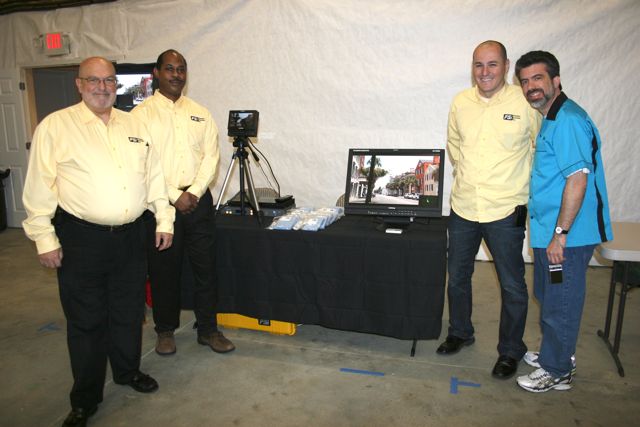
At our Open House March, 2011

Dan was cut from the same cloth as my grandparents. In fact the entire Desmet family is what I call old school and it’s why I respect them so much. They are the perfect example of all that is missing in today’s business world, particularly the American business world. They’re smart, they’re passionate about what they do, they work hard, and their word is their word. They have pride in their work because the business was built up on their own, as a family. And they’ve done it with a lot of laughter. Laughter and love. You can’t help but smile and laugh when youre around this family because they simply enjoy life. Dan not only built a great company to carry on his legacy, he left us a wonderful family to share in his love.

And if I may, from a business side, Dan and the entire FSI family has always been there to lend a hand or help out in any way. When we first met, I was working out of my house, yet Dan and Bram treated our facility with the respect that a top shelf broadcast shop would usually garner. We had the first of our many Italian lunches and the first stories of growing up in Belgium and of course a lot of laughter. When we decided to open the new shop, Dan was the first to sign on and be a presenter in our vendor showcase. Heck Bram helped install the overhang outside the building for the open house.

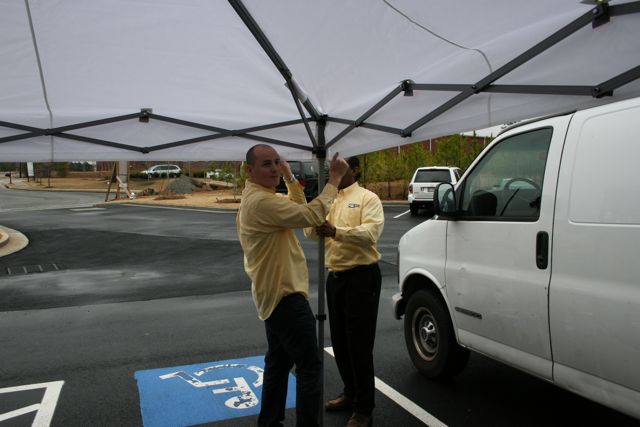
Bram & Larry attempting to get the outdoor awning up as the rains fall at our Open House March 2011.

When the Atlanta Cutters was an idea, Dan said, “What do you need from us?” and FSI became one of our first sponsors. Whatever ideas we have going on, Dan and Bram are always the first to say, “we’re there, just tell us when to show up.” They’re good people and you just don’t find many people, let alone companies, that do the right thing anymore. I even tried to convince Dan to move the company even closer to our new shop so we could head out to lunch more often, I guess I’ll have to work on Bram now.

We only get one chance at this thing we call life. Life is too short for needless drama. Enjoy it, surround yourself with people you truly like, and try to leave this world a little better for those who follow. My life is certainly better for having the chance to know Dan Desmet and to learn from him. Thank you Dan for allowing me to be a part of the Desmet family, its a true honor. I miss you buddy.

I share the Desmet family suggestion to remember Dan with a small donation to the Be The Match Foundation, part of the National Marrow Donor Program that helps patients receive life-saving transplants: marrow.org

R.John, Dan, Walter, Yoke, Bram and Johan in Las Vegas, April 2011 enjoying a wonderful dessert of espresso and gelato at the Venetian hotel.

The official notice from Flanders Scientific is linked here.

For now, editing is a commodity and less a craft

As has been reported recently, CNN laid off 50 staffers, primarily videographers and editors. Why? Essentially after a three year internal review, CNN has determined that professional editors are not necessary to craft news stories any longer. Instead they are expanding their iReport section allowing for more user generated content to be provided to the network, at absolutely zero cost to the network. Yep, zero cost to the network since these folks won’t be paid. I could go on about that part of the story, but Stephen Colbert explains it so well in this clip from “This Colbert Report” on Comedy Central.

So we’re at the point in the evolution of Editing (and videography for that matter) from craft to commodity. As CNN says in their release, high quality video cameras and editing software are available to the masses, so they don’t need the professionals any longer. In the corporate production world, this move from professional to consumer / family friends has been happening for quite some time. “My son / cousin / nephew / daughter / friend has a video camera / computer and he/she can do the work for us now. Sorry, but smaller budgets you know.”

Now we’ve seen the same thing happening in broadcast and higher end production as the editing tools became cheaper over the past 10 years. Only for a while there it was actual professionals who left their corporate / broadcast jobs to take advantage of the lower cost tools to strike out on their own. So top notch editors were able to deliver high quality, broadcast and film projects right out of their own homes using desktop tools. I’m proof positive of that starting out in a spare bedroom and then expanding my house where we ran my company for 7 years with three HD edit suites.

I have to have to say, this is the first time I’ve seen a broadcaster literally coming out and saying we’re going to replace professionals with consumers and hobbyists. They save the salaries of 50 professionals and get all sorts of free content, no matter how it’s shot or edited with no regard for sound or video quality. Kind of ironic to see this push to the lowest common denominator at the same time that so many editors are discovering the joys of high end color correction tools. But I digress.

Basically editing is just a commodity right now in the minds of many. The craft is associated with cheap tools rather than the artist using the tool. There are millions upon millions of folks who use word processing software but that doesn’t make all of those millions writers. Writing is a craft that some folks can do and others….. well they can write letters, recipes, but you wouldn’t ask them to write your next script or promo.

It’s the same with video editing. Millions upon millions of people now have access to really good video editing tools, but that doesn’t make them an editor. Earning a paycheck doesn’t make you an editor either. I’ve met “professionals” who have full time jobs that can’t cut their way out of a paper bag. And then I meet kids in school or college that just blow me away with their sense of timing.

True editors are storytellers. Doesn’t matter if you’re cutting a commercial, a training video, a movie or an episodic television series, you’re telling a story. Really good editors seem to be natural storytellers with an incredible sense of timing. When I start a project, I can usually “see” the edit from start to finish within a matter of hours. It’s just second nature for me and it’s something I have a hard time explaining to other people when folks ask me for tips and how I go about editing. A buddy of mine described it that “the editing part is secondary for Walter, he just knows where the story is, but it’s everything else around editing like the technology that has always drawn him in.”

The technology, and the proper way to use today’s technology, seems to be the biggest differentiation between what we’ll call a hobbyist / prosumer vs. a professional editor. Even on national broadcasts I’m stunned at how many interlacing issues I see that aren’t rocket science to do correctly. In the case of our shop, there is not a format we have not had to work with so we’re getting pretty good at solving any problems that can arise from the mixing and matching of the various formats.

So in this short term environment where video editing is equated with the cheaper tool than the artist and anyone can edit at home for super cheap, why in the world would we open a huge new facility? Simple. We’re storytellers and I surround myself with other good storytellers. We are transitioning ourselves from just being a service provider to other clients, to creating our own original content. As we develop these into fully funded projects, we’re going to need room for more storytellers. And as some storytellers strike out on their own, they might need a place to call home for a while. So we want to provide that creative space for other artists because as cool as it is to work at home, I can attest that it’s more fun and creative to be around like minded folks than all alone in your home office.

Long term, the craft of editing is probably stronger than ever. Now that the tools are in the hands of the many, we’ll discover some new folks who just blow us away with their storytelling skills. But short term, many long time professionals could get hurt when editing decisions are based on price alone and not the skill of the artist. Like anything else, with storytelling you generally get what you pay for.

In time, folks will realize that again.

Fix to DNxHD Quicktime stuttering in Premiere Pro CS 5.5.2

UPDATED 11/19/2011 at the end.

As reported in some forums, if you’re trying to use DNxHD Quicktimes in Adobe Premiere Pro CS 5.5.2 and you have an AJA Kona card installed, you might run into an issue where the playback stutters badly. There’s an easy fix for this. This is all on the 2.4Ghz 8-core Mac Pro, running OS 10.6.8, connected to our Small Tree Ethernet SAN and this is with DNxHD 145, 72op / 59.94 video.

First check your AJA Control Panel to ensure you’re running the latest drivers. Got to Info and you should see 9.1 for the driver.

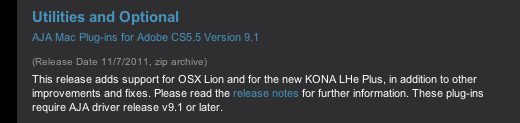
Then if you have not already. Go to AJA.com and download the AJA Mac Plug-ins for Adobe CS 5.5 version 9.1.


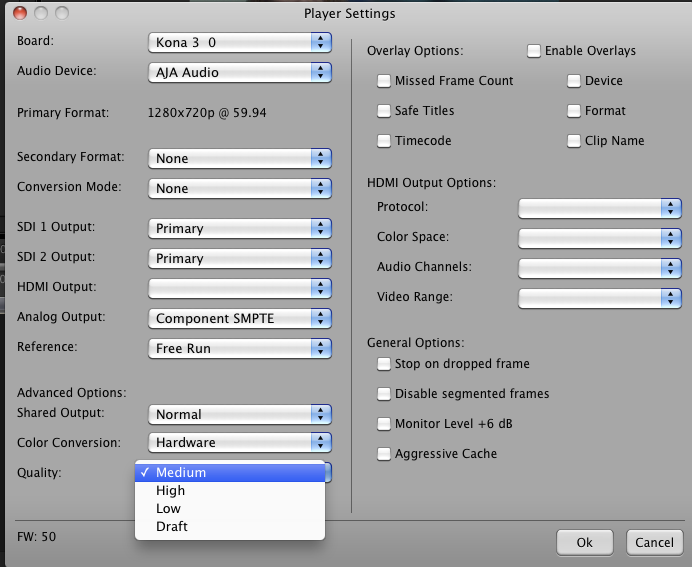
Launch Adobe Premiere Pro and in either the Source or Program Window, click the drop down menu in the upper right and then select Playback Settings at the bottom.

That brings up an internal AJA Menu. At the bottom change the Quality from the default of “Medium” to “Low” and then click “Ok.”

You will barely notice a difference in the output to the external screen. As a test, after I did some playback with it in the Low setting, I switched it back to Medium and then even to High and video playback remained smooth. So it’s possible all you have to do is toggle this once per session, but if the stuttering remains, just leave it set to “Low.”

And note that I have “Agressive Cache” turned OFF as there’s no need for it on this machine. Thanks to the gang at AJA for pointing me in the right direction.

UPDATE 11/19/2011

I was reminded by some folks that “Low” is the default setting for Adobe and the higher you set this, the less realtime functionality you’ll probably get. So to keep realtime to a maximum, you probably want to keep the Playback Setting at “Low.”

BCM Celebrates a Wedding with Bowling!

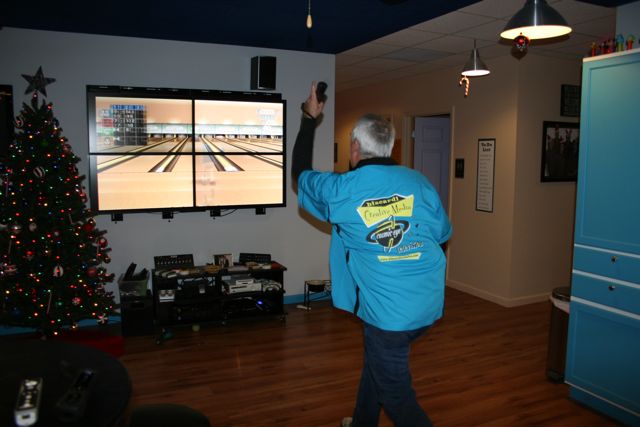
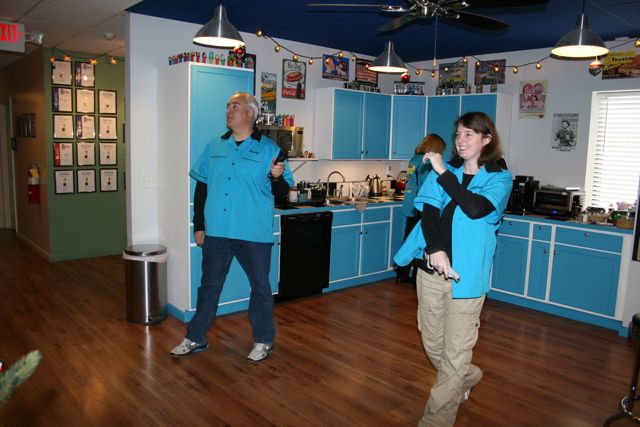
I’m sure most people would throw a nice bridal shower, take the happy couple out to dinner, maybe do a cookout to celebrate an upcoming wedding of a good friend. That’s now how we roll at BCM. For us it’s Pizza and Bowling. The All American combination!

And hey, we got these super cool Bowling Shirts so we can look good while we play! See, Kelly looks like a pro bowler!

Randy is the lone lefty on the team…

There’s Adrienne, who is not only getting married, but was also celebrating a birthday. So it was a doubly fun event! She’s got this sidearm delivery going.

Owner Wally shows some winning form….

John tries a little maniacal intimidation on Adrienne….

Then throws for the spare.

Molly is mesmerized by Kelly’s impecable form.

Nothing says Happy Birthday more than a Carvel Ice Cream Cake! You’d never believe she’s just turning 40. Nah, just kidding. How old do YOU think she is?

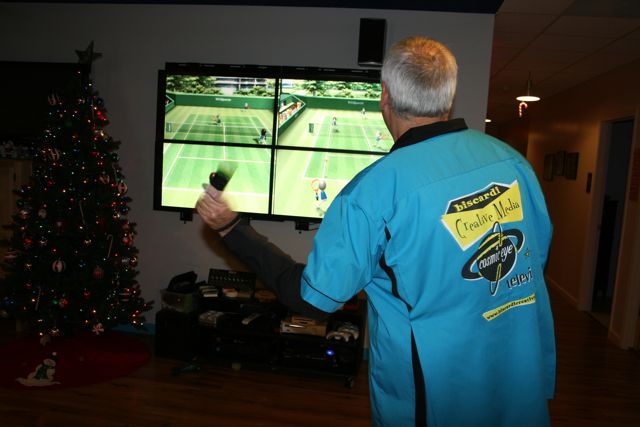
Apparently Tennis is the after Ice Cream Cake activity. Yes, you CAN play tennis in bowling shirts. It’s stylish.

Adrienne trying to slam one past Randy.

Randy winds up and we’re done with the day. Congratulations to Adrienne and Nick on their happy day!

BCM completes Season One of This American Land

FOR IMMEDIATE RELEASE

November 5, 2011

BUFORD, GA

Biscardi Creative Media (BCM) has completed post production for season one (13 episodes) of the new PBS television series, “This American Land.” BCM Principal, Walter Biscardi, Jr. is Managing Producer and Post Production supervisor of the series which is the first to come out of their new 6,000 square foot location opened recently in Buford, GA. “We’ve been working with Executive Producer, Gary Strieker, for years on environmental news stories and now we’re finally able to launch the concept as a national television series,” notes Biscardi. “Gary is one of the most respected environmental correspondents in the world and to be able to help him bring this series to air is a real honor for the entire team at BCM.”

L-R, Caroline Raville, Bruce Burkhardt, Gary Strieker

Strieker heads a veteran team of environmental and science journalists exploring the country for stories focused on the conservation of America’s waters, wildlife and landscapes. Longtime environmental correspondent Bruce Burkhardt hosts the series and is joined by newcomer Caroline Raville.

Biscardi says the biggest challenge for the BCM team was managing the range of production formats for the series. “Gary has a team of photographers around the country who use a variety of cameras so just name a format and it was probably in the series, both standard and high definition. That can create a problem in Post if you don’t manage the formats correctly.” The editors converted all the raw material into 1080i ProRes files prior to the edit using AJA Video Systems Kona hardware video cards and various software solutions. “The key is to convert everything correctly before you start the edit or you’ll end up with video that looks like soft focus or even worse, you get bad interlacing artifacts which leads to a poor viewer experience.”

Editor Adrienne Lathem with Producer Camille Feanny in Edit 3 cutting a Florida panthers story.

Shared storage, and a lot of it, helped the BCM team turn around the 13 episodes in a very tight timetable. Editors Adrienne Latham and R. John Becker cut the shows via a Small Tree Communications ethernet based shared storage system. “We’ve been using ethernet based shared storage going on three years now and still amazes me that we can cut high definition across all of our workstations using the same cable most folks use to surf the internet” says Biscardi. “The biggest advantage is the greatly reduced cost over a comparable fibre channel based system. This allows us to pass along savings to our client via reduced rates. Additionally, we can connect any client computer directly to the SAN allowing them to review project materials on their own laptops during a session.” BCM has a total of 6 edit workstations and 7 iMacs that can all access the shared storage for editing and media asset cataloguing.

Editor R John Becker creating a factoid in Edit 5

Gary Strieker and Series Producer Marsha Walton are already in pre-production for Season Two of This American Land with new episodes expected to start delivering early in 2012. To learn more about the series visit www.thisamericanland.org

Caroline Raville and Bruce Burkhardt in BCM’s Rialto Screening Room.


Biscardi Creative Media

BCM is a full service video and film production company that counts multiple Emmys, Peabodys and Tellys among its many awards and credits. The company’s work appears on Food Network, NBC, CNN, The Weather Channel, ITN, BBC and more. Featuring in-house editorial, graphic design, color correction, sound design, media management and office space, BCM’s location near Lake Lanier offers a relaxed atmosphere where creativity reigns.

Contact: Randy Lockey (770) 271-3427 randy at biscardicreative.com


Media Composer 6 - Avid kept their promise.

Creative Cow has published my latest article about our latest testing with Avid Media Composer 6. In short, we were quite surprised with just how well the application works with our FCP supported hardware.

Media Composer 6; Avid Kept Their Promise.


Global Health Frontline News featured on CNN

For the past several years, Biscardi Creative Media has been working with Producers Gary Strieker and David Lindsay on their series of news reports titled, “Global Health Frontline News.” They go after the stories that regular, mainstream media just isn’t covering for whatever reason to make sure that global health concerns are not being ignored.

We’re proud to say that the stories are finding a home across the internet and now also on broadcast with four stories featured this month alone on CNN.com and CNN International. These are great news stories done on a quick turnaround with direct digital delivery of the finished stories.

From Atlanta, working remotely with both David and Gary, our team of storytellers quickly craft the stories, do a full color grade pass and sound mix for air. At BCM we’ve perfected the remote workflow to the point where it’s almost as if the client is in the building with us. Using our remote servers, Gary and David upload voice tracks and we upload approval copies and still meet the shortest turnaround deadlines for broadcast.

Here are links to the latest four stories on CNN.

Breakthrough Malaria Vaccine

“Peanut Butter Medicine” brings hope to Haiti

Nodding Disease confounds researchers

Progress against TB