iMacs to replace desktops, moving closer.

A few weeks ago I mused on replacing my Mac Pros with iMacs in part because of cost and in part because so much software can run incredibly well on these machines.

Well NAB 2012 definitely validated that idea. iMacs dominated the show floor in South Hall running just about every software imagineable. Autodesk made the iMac the center of their Smoke 2013 roll-out with the software running incredibly fast on that system. With the advent of super fast RAIDs via Thunderbolt connections, there’s not a whole lot you can’t edit on an iMac.

Then AJA delivered literally what I asked for a few weeks ago. A simple Thunderbolt to SDI adapter to allow quality video reference to our Flanders Scientific monitors. The T-Tap gives us both SDI and HDMI output so I can feed the Flanders and Plasma Screen simultaneously.

This is awesome because I don’t need an I/O device for all of my iMacs at all times. In my case, I’ll start out with 5 iMacs and what I’ll do is pick up two AJA IoXT’s and three T-Taps. They both run off the same drivers so we can literally just swap the devices around so if you need input, you take the IoXT and hand off the T-Tap.

Word is that Windows machines will start rolling out with Thunderbolt anytime now so these devices will be able to swap right around between all the machines.

This is just so remarkable where we’ve gone in just one year. Last year I was pining for Apple to hurry up and get some really nice new Mac Pros out. Now I’m on the cusp of selling off 5 of our Mac Pros and replacing them with iMacs to run Avid Symphony through Autodesk Smoke 2013.

This really HAS been a long strange year….. But I like it!

Walter Biscardi, Jr. at NAB 2012

NAB 2012 was a lot of fun for me as I was asked to appear in multiple videos and interviews throughout the event. Here’s the links in one handy dandy location. Enjoy!

“Cutting It Close with Mitch Jacobson” presented by LiveStream. I’m approx. 15:10 into this video talking Post to Good Eats.


The Autodesk 2013 Launch Event, Evan Schechtman and I got to do a little fun together.


Ask the Experts Panel at Autodesk A last minute addition, Autodesk asked me to appear on stage with Evan again because we had so much fun doing the other video.


NAB 2012 Notes and Musings from Day One

Some quick notes from a very VERY long day, need to get some rest so I can repeat this all again tomorrow. Some of this is third hand as I spent the day enjoying the fine folks from the Small Tree Communications booth ….


Opening Bell Winner

In South Hall it appears that BlackMagic Design kicked off the day in high frenzy thanks to the announcement of their Digital Cinema Camera, a 2.5k camera that retails for $2995 and includes Davinci Resolve and the UltraScope. As one person as the Media Motion Ball commented tonight, “Why would you buy Resolve? Just buy the camera for a little more and get Resolve included.” Honestly not a bad idea.

Speaking of Resolve, that rolled out with a new 9.0 interface that got rave reviews from all those I talked to. Around 1pm I got the opportunity to have my annual chat with BMD’s founder Grant Petty. Our annual chat is actually one of the high points for me each year at NAB and I’m really thankful we had the opportunity today with all the madness around that camera.

Of course I had to ask, “why in the world would you want to enter the camera market when it’s so saturated?” As a Post Production artist, I’m honestly getting sick and tired of 20 new cameras with 15 new formats each year and then we have to figure out how to make those codecs work in Post. That’s precisely what Grant was thinking too when he made this thing. See he was thinking backwards designing a low cost, high quality image camera that would be friendly on the Post side. Literally by thinking of the codecs first (ProRes / DNxHD) that are ready to edit, then working on a happy medium between high quality image and price point. He settled on 2.5k image size because that scales down to standard HD beautifully. The idea is really to push the camera manufacturers off the idea that a high quality image always has to cost high dollar and always has to include some sort of codec that easier for the camera manufacturers than the Post process. I have to say, that’s a very clever idea. The camera itself also has a cool retro feel to it, reminding me of an classic Polaroid camera from the outside. I liked it.

On Resolve he’s quite proud of his design team for really re-working the interface to make it more accessible. On Teranex, I can see he’s been quite hands on with making design changes to their products to make them more elegant and user friendly. He’s been quite impressed with the entire engineering team on how quickly they are progressing on the changes. The Teranex product line was a complete stroke of genius on his part to roll into the company. Thunderbolt is definitely huge with a whole line of UltraStudio variations

It’s incredible to see where he’s taken the company from its humble beginnings with capture cards into a company that has inroads into almost all areas of production and post. We actually had to laugh because all these years later, he’s still doing the same thing with the UltraStudios and such. Still figuring out better ways to let the end user have a good I/O experience. Definitely swing by and check out this booth as there are just too many products to mention.


Small Tree Communications

Finally got the chance to see the long awaited “Titanium” all in one shared storage solution from Small Tree as I worked in that booth all day. This is a single box that includes the computer, the storage and ethernet ports for shared storage. In other words, it does away with the Computer and Ethernet Switch and brings it all into a single box. It’s available in 16 and 8 drive configurations and easily expandable. It’s kick ass to say the least.

In addition, they were showing some nice Shared Ethernet over Thunderbolt with two thunderbolt expansion chassis. Small Tree 10gig Ethernet cards inside expansion chassis connected to either an iMac or a MacBook Pro allowing for higher speed editing such as uncompressed HD. Very cool. I’ll be there again most of the day Tuesday, so come on by and say hello!


AJA

At the Media Motion Ball AJA showed off the product I actually asked for two weeks ago and was greeted with a “we’ll consider that.” The T-Tap thunderbolt to video output for just $249. SDI and HDMI output via thunderbolt. Very simply output only device for any situation where you don’t need ingest, just output. In my case as I develop my new infrastructure around iMacs, I honestly don’t need I/O on every system all the time. So for 5 edit suites, I’ll purchase two Io XT’s and three T-Taps. If someone needs to ingest, just move the IoXT into that room and put the T-Tap into the other room. So everyone is always outputting to the monitors, and I can save some money by not installing ingest products where they are not needed all the time.

Also some nice additions to the Ki Pro lineup with the Ki Pro Rack with dual record hard drives and the Ki Pro Quad which can record 4k in the field. Definitely a booth worth seeking out.


Editing Platforms

From all accounts the Adobe, Autodesk and Avid booths were jammin’ all day. Scores of folks came down to the Small Tree booth after watching demos of Autodesk Smoke truly blown away by what they saw. “It lives up to the hype” “You were right” were the two comments I heard the most all day. Biggest questions raised were whether Autodesk will port Smoke 2013 to Windows and when will they start supporting the rest of the installed 3rd party infrastructure like BlackMagic and Matrox. Definitely hoping that’s forthcoming as that will open the product up to the entire FCP installed ecosystem. Will be making an appearance on the Autodesk stage Tuesday at 2:30pm with Evan Schechtman. You can watch it stream here, it should be most amusing:

Adobe was met with a lot of very positive response by many who came by. Some had the same questions we raised during the CS6 testing, but overall, it’s a major step forward from the Adobe team. I got a lot of folks asking if should have waited until we saw CS6 before making the decision to switch to Avid, but as we had been testing CS6 for months, our decision was based on CS6 vs. Avid MC6. I’ll discuss in more detail next week.

Avid Symphony is my pick for “Deal of the Show.” How can you not benefit from purchasing this for your facility at just a $999 cross-grade special? And this is VERY limited so don’t wait too long. I firmly believe that any editor today should have both Avid and the Adobe suite on their editing system.

The elephant in the room that in Final Cut Pro X is having mostly a negative reaction among those I spoke to both on the show floor and tonight at the Media Motion Ball. Quite honestly most professional editors I spoke to are just “done with Apple.” Apple released exactly the product they wanted to a year ago, with a workflow that suited them with just enough features that suited them. One year later, the announcements today were greeted with, “that’s not a major release, just Apple trying to put back enough features to appease professional editors.” The general sense is folks are just tired of Apple’s games. There’s also a large segment that is tired of the “fanboys” who have the ulterior motive of needing a healthy Final Cut Pro X user base to make money for their own product lines. Particularly from those who don’t actually edit for a living

Now I said the response has been “mostly negative.” One set of folks said they were willing to give Apple a second chance based on what they are seeing and hearing from Apple. I definitely plan to stay in touch with them to see how they move forward as they are a rather large installation and it’ll be interesting to see if they make it work. And of course in our Atlanta Cutters group, we’re trying to get the folks from TNT’s “Leverage” to come in and show us their X workflow for that original series.

It’s been so interesting to watch how a product that was so dominant is now hardly mentioned while Avid, Autodesk and Adobe reap the windfall of thousands up thousands of seats switching not only over to their products, but folks like me now considering PC machines to replace existing Mac Pros.


Media Motion Ball

As usual an excellent event where I got to say hello to so many folks I know and meet so many for the first time. Had some audio issues where the sound system was very quiet and the audience was quite loud. Made for difficulty hearing the presenters, particularly in the early part of the event. But as usual, the food was excellent, the company at our table was excellent and new Red Giant Films short was hilarious.

This is definitely a “family reunion” type of event for me getting to see Scott Simmons, Shane Ross, Alexis Van Hurkman, Robbie Carmen, Dan Berube, Kevin Monahan and so many others. Then meeting fellow “Cows” like Walter Soyka and Patrick Inhofer to put the faces with the names.

Had a great time chatting with the folks from BlackMagic Design and Flanders Scientific along with the Avid folks. Since this is a smaller event, you can really get one on one time with these folks and ask a lot of questions, or get in a good joke.

This remains my favorite event at NAB and you really should sign up early next year as it will sell out since it’s a much smaller event than the big SuperMeet.


Adobe Event

A very nice event, another “reunion of sorts” seeing folks I haven’t seen in a year and met up with some great folks from A Frame. Cloud based workflow for television and film that’s already been used for some major projects. I definitely intend to check them out in the North Hall to see how all of this works as this may be a great workflow for some original series and documentary projects we have coming up. They have a very editorial driven product.


And with that, I’m going to wrap it up. It’s almost 1am local time and I have to be up early again tomorrow to hit work the booth. Hopefully this wasn’t too rambling…..

Things to see at NAB 2012

Folks always ask me what to see at the NAB shows each year. Obviously most of my “must sees” revolve around Post Production since that is the main focus of me business, but I do try to walk the entire show at last once to see what’s out there.

If you want to find me to say hello, at will be in Booth SL7425 with Small Tree Communications on Monday and Tuesday. Super cool, nerdy geeky guys who make that awesome Ethernet based shared storage system we’ve been using for years.

So in no particular order, here’s some things you might find of interest at this year’s NAB Show. Word of warning, Autodesk and Adobe are right next to each other so expect huge jams of people in that area, particularly Monday / Tuesday.

Creative COW, Booth SL13317. If it were not for the Cow I would not have had the opportunity to meet so many of you through the years on the many incredible forums of creativecow.net. Stop by and say hello, or maybe a moooo to the best creative media resource on the planet.

Small Tree Communications, Booth SL7425. You’ve heard me tout their ethernet based storage for years that has allowed us to connect Mac Pros, Laptops and iMacs to the 48 TB media array. We’ve had up to 12 computers hitting the storage at one time playing back ProRes 720 and 1080 HD. This year they are rolling out Titanium which is the next step forward in the concept. This is going to be great for both remote and facility based production houses.

Autodesk, Booth SL3315. The mantra “Smoke is Changing” is absolutely correct. It’s obvious the design team has spent a lot of time and effort to create this new version that is a complete game changer. I have not been this excited about new software in a very very long time. Autodesk promises a more open and inviting booth this year too so stop by and give the new Smoke a spin.

Avid, Booth SU902. You already know that Symphony is $995 for a cross grade. If you haven’t seen Avid in a while, stop by and see why this is by far the best deal that will come out of NAB this year. I am installing multiple Symphony seats in my shop next week as we have transitions our facility to a more Avid centric workflow.

Adobe Systems, Booth SL2624. The brand new Creative Suite 6 really is a major improvement by the Adobe team. As someone that was able to test the product line, I can tell you that across the board everything has been upgraded. SpeedGrade has been brought to the product family adding the only thing that was missing from the lineup, a color finishing tool.

Flanders Scientific, Booth SL13707. Hands down THE best reference monitors I have ever used. Head to head against much more expensive monitors, I take these every time and we have 7 of them in our shop. Check out the 2461W when you go. Outstanding tech support and service after the sale. Also one of the nicest companies you will ever do business with.

AJA Video Systems. Booth SL3305. If you follow me you know I run their Kona boards throughout the shop, but am eyeing their Thunderbolt based IoXT to replace them. They are definitely a leader in video technology (i/o boards, converters, test generators, to name a few) and watch for some cool new products this year. You should also find Avid, Adobe and Autodesk products running in this booth so you can see first hand how those products interact with the AJA hardware.

BlackMagic Design, Booth SL220. If you somehow miss this gargantuan booth at the entrance to South Hall, you might want to get your eyes checked. If they follow suit from last year, they actually have one of the most accessible and easy to approach booths in the entire show and very approachable. The Resolve and those beautiful control panels are still the star of the booth for me, but BMD offers so much today for the Post and Production professional, you really need to look through this entire booth to make sure you see everything.

FilmLight, Booth SL2420. Baselight color grading plug in for Avid for under $1000. Need I say more?

Plug In Pavilion, Booth SL2024. Multiple plug in vendors including Red Giant Software and others with really cool toys for all NLEs and effects software.

AlterMedia, Booth SL7410. The makers of StudioSuite which is a great production and facility management tool that fits on top of FileMaker Pro. I get a lot of questions on how to manage the facility and this has really fit the bill for us the past few years. VERY in depth and we barely use everything that its capable of. One of the most reasonably priced options I’ve come across too.

Dell / NVidia, Booth 9215. If you follow my blog you know that I’ve been pleasantly surprised by the performance of the Dell Precision T5500 workstation running Adobe and Avid. Some Dell workstations will be on display in the NVidia Booth, so check them out for yourself along with all those NVidia products you keep reading about.

CRU Dataport, Booth SL10225. You may not know their name but they purchased WeibeTech a few years ago and those are the excellent trayless SATA drive units we use both for RAIDs and our data archiving. We run the RTX 200 and 400 in our shop.

ProMax Systems, Booth 5424. One of the most respected VARs in the country has introduced one of the most beastly editing workstations I’ve read about. The ProMax One looks like the ultimate post production box. I’ll be testing one after NAB.

Canon, Booth C4325. I’ve never wanted to purchase a camera for my company until I saw the C300. And of course they just keep announcing even more digital goodness in the lead up to NAB.

ATTO Technology, Booth SL6320. Makers of host bus adapters that connect to our high speed media arrays. Watch for thunderbolt products this year.

Cache-A Corp, Booth SL10508. Serious archive solutions to protect your data.

ArtBeats, Booth SL5620. Excellent stock footage and more. Quite honestly they keep adding so much stuff I can’t keep up with it all. Really nice folks too.

Pond 5, Booth SL7409. Another excellent source of stock footage.

Hewlett Packard, Booth N5106. Their Z800 is the machine most of my colleagues recommended to me for Post production.

CineBags, Booth C7641. Excellent production bags to protect your gear.

CineToys, Booth 4837. Cool, nerdy stuff for your camera shoots.

Da-Lite Screen Company, Booth SL4920. If you have a projector in your shop, these screens really do make a difference. We have a 7 footer in our screening room.

KB Covers, Booth SL8619. Keyboard skins with shortcuts for multiple editing platforms.

Bella Corp, Booth SL2812. Keyboards, skins and stickers for multiple editing platforms.

GoPro, Booth C3628. Mini cameras.

Contour, Booth C10045. My favorite mini cameras. They’re tube style, not boxy.

Using iMacs to replace Desktop Workstations. A consideration.

UPDATED WITH CORRECTED MATH. See, this is why I’m an editor, not a mathematician!

If you’ve been following along the past few months, you know we’re testing a very nice Dell Workstation as we plan the immediate future of our company and what computers might replace all the Mac Pros we currently run. Since we’re an Adobe / Avid centric shop now, the Dell shows us how we might work in a cross platform world.

But as I have been using an almost 2 year old 27″ iMac in both my Adobe and Avid testing for the past 6 months, the thought dawned on me, why not consider replacing some of the Mac Pros with iMacs? Particularly now that Thunderbolt add ons are becoming more prevalent and giving us the same capabilities as all those internal cards we’ve used through the years. In particular the AJA IoXT which is essentially a Kona 3 in a small box.

I purposely have been testing on the iMacs with an eye towards setting up a cluster of them for our Assistant Editors on upcoming series. But this older one is performing so well, it got me to thinking of even replacing many of our primary edit systems with iMacs too.

While Adobe keeps touting the added advantages of the nVidia CUDA based graphics cards, I have to say their software runs very well on the ATI based iMacs. In fact our entire shop, except the new Dell and the Resolve workstation all run on ATI cards and the entire Adobe Suite runs brilliantly on all of them. We honestly don’t miss the CUDA “extra realtime features” because we’ve never had them.

Avid doesn’t have any sort of CUDA requirements at this time (not sure if they ever will) so I see the same snappy interface operation across the board no matter which machine its running on. Avid is definitely the most efficient software we’ve edited with to date, it runs faster on the iMacs that FCP ever did, even on the Mac Pros.

Now before we move forward, keep in mind my situation with my facility. We have 5 edit suites currently running along with our ProTools / Resolve Theater. We’re set up for 9 total edit suites at the moment and can expand to 18 or more at any time, so we need a bunch of machines whenever we upgrade. So from a business standpoint, I have to look at the most effective way to spend our dollars.

If you are a one man band, a 1 or 2 machine shop, then you really want to buy THE fastest and most powerful system you can afford because you’re asking that machine to do everything for you. Edit, Graphics, Render, Output, etc…. I always recommend to anyone that’s a single or two machine shop to have a powerful desktop system unless you absolutely must have the portability of a laptop for your work. Desktop machines, while much more expensive when configured for video editing, will always give you the fastest performance. So keep in mind that my thoughts here are more about me replacing a series of machines vs. a smaller shop that might only need to replace one or two systems.

So what do I give up by dropping a bunch of Big Iron machines in favor of the iMac? Render speed primarily. Big iron will always render faster than an all-in-one ever will because there’s a lot more room for processors and large power supplies to drive those processors. Not to mention a ton more RAM for the same reasons. But for the type of work we’re doing day in, day out, we don’t need super fast rendering all the time on every single workstation.

For the most part we’re doing documentaries and very soon, reality programming. Projects that are storyteller driven, not fx or even transition heavy. So for my situation and with the amount of machines I need to upgrade, do I really need to have all powerful systems in every single edit suite? Based on the performance of my 2 year old iMac, that answer appears to be”no.” I’m thinking a new strategy will be to outfit every single edit suite with a 27″ iMac and then have one or two “big iron” systems, maybe running Avid Symphony, Autodesk Smoke and the Adobe Creative Suite, which will be the “finishing systems” if you will. We’ll still keep the ProTools system and the Resolve system as stand alone Big Iron as well, so I’ll have four Big Iron systems and a whole cluster of iMacs to do most of the work.

All of the machines will connect directly to our 48TB (soon to be larger) SAN because it’s all ethernet based. Unlike some earlier iMacs that crippled the Ethernet port, Apple finally replaced the ethernet port with a unit that again supports Jumbo frames so we don’t lose that connectivity.

Let’s take a look at how the iMacs compare to several Big Iron systems in terms of cost. I’ve tried to make all of the Big Iron systems similarly spec’d so it’s somewhat of an even comparison. They’re all Dual Processor, 12 Core machines except where noted because when I buy a Big Iron machine, I buy one of the fastest I can afford. Note that the Dell Precision T5500 is the unit we’re testing here in the shop and the HP Z800 was chosen because it’s the machine most recommended to me by my Windows based colleagues to compare to the Mac Pro.


27″ iMac priced on Apple.com 4/8/2012: $3218.00

3.4GHz Quad-Core Intel Core i7; 16GB 1333MHz DDR3 SDRAM - 4x4GB; 2TB Serial ATA Drive; AMD Radeon HD 6970M 2GB GDDR5; AppleCare 3 year warranty


Mac Pro priced on Apple.com 4/8/2012 - $9958.00*

Two 2.93GHz 6-Core Intel Xeon “Westmere” (12 cores): 48GB (6x8GB) RAM: Two 1TB 7200-rpm Serial ATA 3Gb/s hard drive: ATI Radeon HD 5770 1GB (standard Card): AppleCare 3 year plan. *nVidia Quadro 4000 purchased separately - $810


Dell Precision T5500 Workstation priced on Dell.com 4/8/2012 - $8,268.00*

3.46GHz 6-Core Intel® Xeon® Processor X569: nVidia Quadro 4000 graphics card: 48GB (6x8GB) RAM: Two 1TB Internal SATA drives; Firewire PCIe card: 3 year On Site ProService: *included “instant savings” of $620 according to the website, no BluRay Writer option, single processor, all USB Ports are 2.0 standard.


Dell Precision T7500 Workstation priced on Dell.com 4/8/2012 - $11,348.00

Two - 3.46GHz 6-Core Intel® Xeon® Processor X569 (12 Core) : nVidia Quadro 4000 graphics card: 48GB (6x8GB) RAM: Two 1TB Internal SATA drives; 16X DVD Writer: Firewire PCIe card: 3 year On Site ProService: *included “instant savings” of $615 according to the website, no BluRay Writer option, All USB ports are 2.0 standard.


HP Z800 FF825AV Workstation priced on HP.com 4/8/2012 - $13,667.00

Two 3.46 6-core Intel Xeon X5690 processors (12 cores): nVidia Quadro 4000 graphics card: 48GB (6x8GB) RAM: Two 1TB Internal SATA drives: BluRay Writer; Broadcom 5761 Gigabit PCIe card: Firewire PCIe card: 24×7 On Site response - 3 years. ($239) Note: All USB ports are 2.0 standard. It’s an upgrade to USB 3.0


And because I know someone will ask about the HP All In One workstation, ala iMac, here’s their 27″ configuration….

HP Omni 27 Quad series priced on HP.com 4/8/2012- $2049

Intel(R) Core(R) i7-2600S processor [2.8Ghz, 8MB Shared Cache, DMI 5GT/s]: 8GB RAM: 2TB 7200 rpm SATA hard drive: 2GB NVIDIA GeForce GT 540M: Slim Slot Blu-Ray writer: HP Total Care 3 Years: Note: No Thunderbolt or Firewire 800 option.

I just don’t see this in the same class as the iMac for a video workstation. The specs look very underwhelming vs. the 27″ iMac I spec’d out first.


So let’s do the math based on replacing all 5 of my current edit suites. Just what we’ve spec’d here. No software, no add-ons, nothing, just the boxes as I spec’d them above.

5 iMacs: $3218 x 5 = $16,090

5 Mac Pros: $9958 x 5 = $49,490

5 Dell Precision T5500: $8,268 x 5 = $41,340 (note this is a single processor machine)

5 Dell Precision T7500: $11,348 x 5 = $56,740

5 HP Z800: $13,667 x 5 = $68,335

Base cost for the 5 iMacs alone is over $33,000 less than the nearest Tower and over $24,000 less than the nearest Dual Processor machine, though honestly, the odds of me purchasing that particular 12 Core Mac Pro are slim to none. So in reality, I’m over $40,000 cheaper than the lowest cost 12 Core Dual Processor machines I would consider buying.

Now I need to add 5 AJA Io XT boxes to those systems for Video I/O because we still use a ton of tape in our work and they will also feed our Flanders Scientific reference monitors.

5 AJA IoXT: $1,495 x 5 = $7,475

Grand Total now $16,405 + $7,475 = $23,880

I’m still sitting over $32,000 below the 5 Dell T7500s. Or in other words, I can get 5 brand new iMacs with the IoXTs, and get 1 Dell T7500s for our “Big Iron” finishing station and still be about $12,000 ahead. Switch that to the HP and I’m still about $21,000 ahead. But with 6 workstations instead of 5. Heck I can even buy two of the Dell Big Iron systems and still come out ahead.

I already own a slew of 24″ monitors so each iMac can run in dual screen configuration without the need to purchase any new monitors at this time. And as I add more iMacs to the mix, not every single one of them will require the IoXT if they are doing primarily offline work. So that will save me some more money moving forward.

One other expense I would have to explore is re-engineering our shop so the primary controls for everything are in the edit suite and not in the Machine Room as they are now. All of the machines are side by side with video I/O, machine control and everything tied together via patch panels. Now the primary patch panels / machine control will stay in the machine room, but the video I/O devices will be in each suite. So that will require some re-wiring, but not a whole lot.

With numbers like these, and the high quality performance of the iMacs, you can see why I’m strongly considering making the iMacs our primary workstations throughout the facility. And while they might cost a bit more, I think our “Big Iron” systems will be Wintel moving forward. Just too many good options out there vs the limited choices from Apple. And who knows, we just might be running OS X on a PC soon.

So yep, even more for us to consider as we move forward, “Post FCP” in our facility. The options are almost endless and there’s no need to rush into a decision we’ll regret later. Now instead of just putting the fastest most powerful workstation in every single situation, I have more options to put machines more tailored to the task and spend the extra money where I actually need to.

More food for thought……


It’s Not a Mac - Windows Testing Part 3

If you’re contemplating moving to Windows and you own a pretty recent Mac Pro, one of the great advantages today is that most of the “Mac 3rd party hardware” also operates in a PC. This is awesome because so far it’s saved me over $2500 in new cards I would have had to purchase for the Dell. Observe.

Dell Precision T5500 meet Mac Pro, Mac Pro meet Dell Precision.

For the time being, we’re going to run the Dell as a stand alone workstation. Why? Because NAB is right around the corner and the awesome folks at Small Tree Communications are gearing up for some new reveals at the show. Thus their time is limited right now to properly test and configure the Dell to work on the SAN. So for short term, we’re going to run it with a local 8TB SAS/SATA RAID.

This requires the installation of an ATTO SAS/SATA Host Bus Adapter to connect the RAID to the computer. A brand new R680 card is $999, but I have an older model, yet very capable R380 card sitting in the Mac Pro that the Dell is going to replace. So I called Atto to confirm that the card would work in a PC and they said, “it should, just flash the card with new firmware when you move it.”

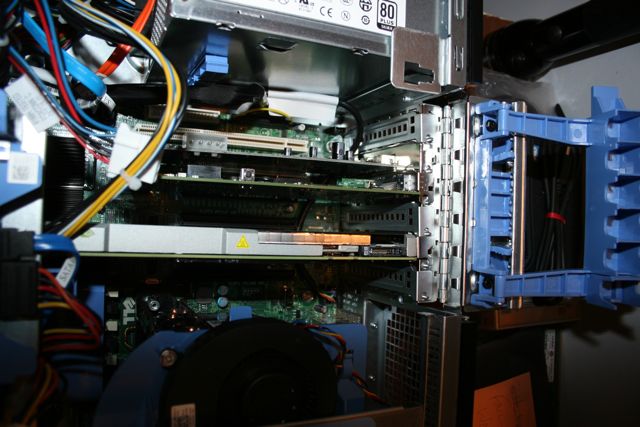
Atto R380 SAS Host Bus Adapter located in the top slot of the Mac Pro.

The very same Atto R380 card relocated (in the middle) to the Dell Precision workstation. The AJA Kona LHi sits just above it.

After installation I downloaded the appropriate Driver, Flash file and Atto Configuration Tool application and sure enough, the card came right up online the way it should. Connected the RAID to the card and set about re-building the RAID to be used with Windows 7.

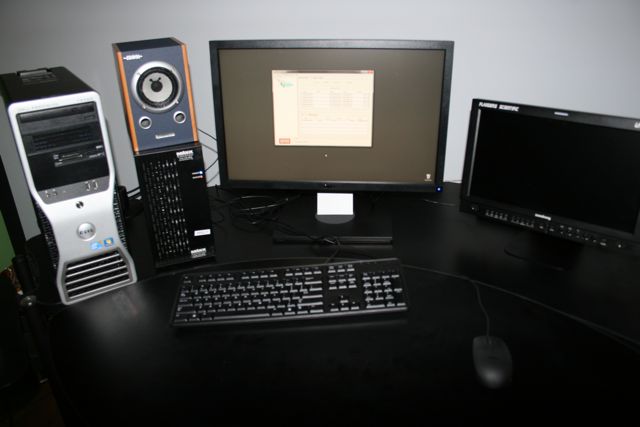
The Dell Precision as it sits in Edit 2 right now with the RAID to its immediate right. That’s the Atto Config Tool on the screen rebuilding the RAID. After testing the unit will move into the machine room.

So another plus for those of you contemplating a switch from the Mac Pro to PC. It’s very likely your third party cards will install into the PC. Just check with your manufacturer before you do anything to ensure it will work and also ask if there are any particular slot or installation orders to follow.

Once we get everything formatted, do a few quick tests, we’ll move the entire rig into the machine room and throw it right into Post on Season 2 of the PBS Series, This American Land. You haven’t seen me do a lot of reporting on this Dell Precision machine because there’s really not a lot to say quite honestly. It works, it’s fast, at some point we’ll have to do some benchmark tests comparing renders, etc…. but we need this machine to get into Post pretty quickly so we’ll have some more performance updates, etc… as we start to beat on this thing for a production schedule that goes through October.

It’s gonna be a fun ride, more updates as we can!

Tips for attending NAB 2012

Springtime is upon us and that can mean only two things. Allergies are raging across the United States and it’s time for the annual National Association of Broadcasters convention. Before you head off to Las Vegas, here’s some tips from this seasoned attendee to make the most of your time.

“Mirage” is a great analogy for what the Las Vegas Skyline is……


Getting to and from the show.

NAB does a great job providing free shuttle transportation to and from the show to many of the hotels along and near The Strip. Whether you stay in one of these hotels or not, as an attendee, you have access to these busses. So look at the NAB Bus Schedule and pick a hotel nearby to pick up the shuttle, be sure to have your convention badge on you as you generally have to show it to the bus driver to get on.

I tend to take the shuttle busses to the show and then the Las Vegas Monorail from the show depending on what time I’m leaving. Busses can get swamped at the end of the day and while the Monorail costs money, it tends to move more people faster out of the event. I just hop off at the hotel the closest to mine on the way back.

Hangin’ with AJA President Nick Rashby, one of the nicest guys you’ll ever meet.

Dress for comfort, especially your feet!

NAB is a big show, as in thousands upon thousands of square feet of exhibition space. Let me say that again. NAB IS A BIG SHOW! You may have been to big shows before, but imagine walking through 4 football stadiums (US or European) to see everything and that kind of gives you a sense of how large this thing is.

It cannot be said enough that comfortable shoes are a MUST at this show. I wear running shoes that have fabric that breathes. I have no idea why any women wear heels to this show nor why men wear wingtip business shoes. They are simply not comfortable to walk around 4 football fields or to even stand still for hours at a time. While you might want to make a fashion statement to impress those you might meet along the way, your feet will thank you. Remember your feet will swell up standing and walking all day long, keep the shoes comfortable!

For dress, I tend to go with comfortable jeans and t-shirts or short sleeved button down shirts. South Lower, where most of Post Production is housed, can get a little warm on Monday / Tuesday just because of the thousands of bodies in the hall. Check the weather forecasts before you come for nighttime temps, as oftentimes a light sweater or jacket is good at night when the temps drop. While 60 degrees might sound nice and warm with just a T-Shirt, with no sun and a 10-15 mph wind, that light jacket you brought along will feel much better.
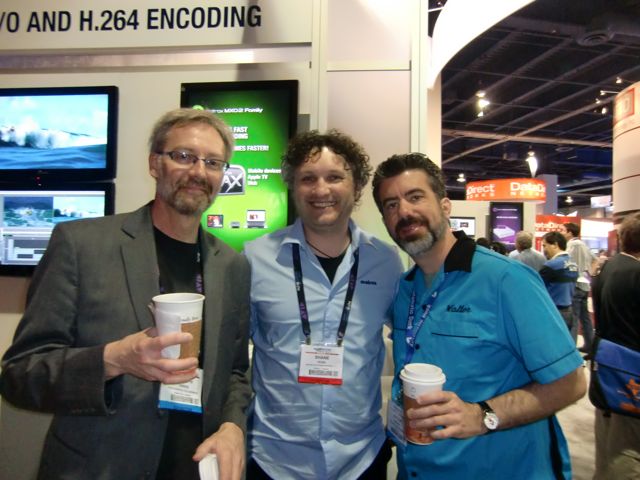
Joseph Owens, Shane Ross and myself dress for success at NAB. Yes, my bowling shirt was a huge hit and it will make a return appearance in 2012. Note that Coffee is the official drink of NAB.


Plan Ahead, Use Reference Points.

A big key is to plan ahead and then prioritize your plan. There is so much to see that it’s easy to get overwhelmed at the show, it’s literally the biggest toy box for all of to play in with everything we’d ever need to make great shows. All the stuff you read about on the internet and in magazines is on display. It’s easy to get caught up spending way too much time on some really super cool toy that you don’t need, can’t afford, would never use, but it’s just so freakin’ cool and before you know it, two hours are gone.

So pick the toys you want to see, then prioritize them in order of what’s the most important thing you need all the way down to those that would be fun to see, but it wouldn’t matter if you missed them. You will accomplish much more and see those things that will make a difference for you in the next 12 months.

The show floor oftentimes makes no logical sense. Booth numbers that go smoothly from number to number suddenly veer off into nonsense and you stand around saying “Well it should be right here, it’s the next number in sequence.” Fortunately “there’s an app for that.”

If you have a smartphone or tablet download the fabulous NAB Show 2012 app. I used this last year and have already made my plans with it for this year. My favorite feature is that you can highlight all the folks you want to visit ahead of time. During the show, the app will show me where I am and where my target destinations are, makes for easy navigation around the show. Well, easier navigation, you’re still going to have those “WTF?” moments when the booth numbers make no logical sense….

Another great way to help with navigation on the show floor and to find your way back to location is to use reference points. Pick a banner, a booth, whatever that has a high sign that you can clearly see to use as a reference point to find your way around. I often use the AJA Video Systems booth and one of the music libraries in South Lower as my reference points for example. I can visually see that point and if I know a booth I’m looking for is in the general area, I can use that to find it.

In particular, use these reference points to find the bathrooms. Small thing I know, but at least in South Hall, they are along the far left and right walls and finding these easily is a good thing. :)
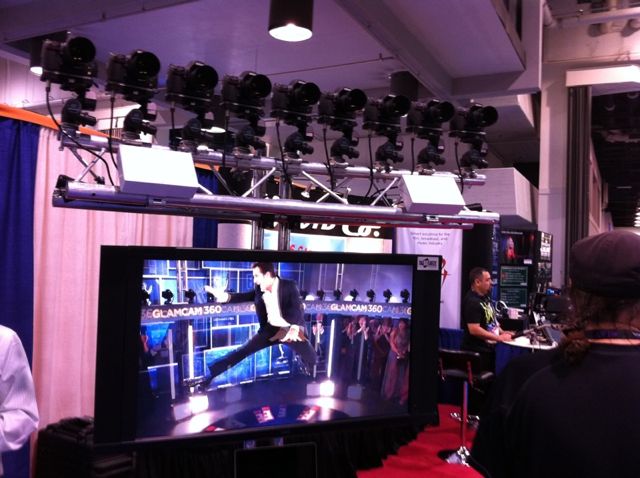
A 360 rig like this makes a memorable reference point. If I recall correctly, there was a great coffee stand nearby so that would make this a VERY important reference point.


Stay tuned for the Sunday announcements.

Many companies presenting at NAB will either have press events or issue press releases on Sunday announcing their latest toys that will be on display in the exhibition halls. Websites such as CreativeCow.net have great news feeds that help you follow along with the almost dizzying array of releases.

Make notes of the releases that are of special interest to you so you’ll know what that company is debuting, locate their booth number, and you can prepare some questions for the folks you’ll meet. EVERYTHING sounds incredible in the press release, seeing it on the show floor and asking the right questions can get you a better picture of what the toy can and cannot do.

With Grant Petty of BlackMagic Design. What will they announce this year? Stay tuned to the press releases….

Limited time to visit? Come later in the week.

If you’ve already made your plans, it might be too late for this, but if you really want to get hands on with equipment and software in the booths and ask questions, Wednesday and Thursday are the best days. Monday and Tuesday the crowds are the largest. Especially Thursday the crowds are always much smaller giving you much better access to the booths.

If you are going to be there all week, my advice is to avoid the “big booths” Monday and make discoveries in the outlying smaller booths in all the halls. Especially lighting and audio always seem to have the smaller crowds and they make great areas to visit, especially Monday all day.

Also take in the outdoor exhibits between South and Central Hall where there are remote production trucks, satellite uplinks and other very cool displays. While you may never have the need for a remote production truck, just walking through one and seeing how they have managed to configure an entire production facility in a very small footprint can certainly give you some ideas for designing your own production space.

In Central Hall I always go in to check out what’s the latest in microphones and field recording because when a show idea comes up, for whatever reason I start thinking about the microphones I saw and how we can use them. Last year it was microphone that they were dipping in water yet I could still use them with perfect clarity. I.e. mics perfectly situated for rainy or wet location without compromising the sound.

I’ve also found some really cool widgets, software and tools for my work that I never would have found without just strolling “off the beaten path” as it were, such as my incredibly awesome Anthro edit consoles.
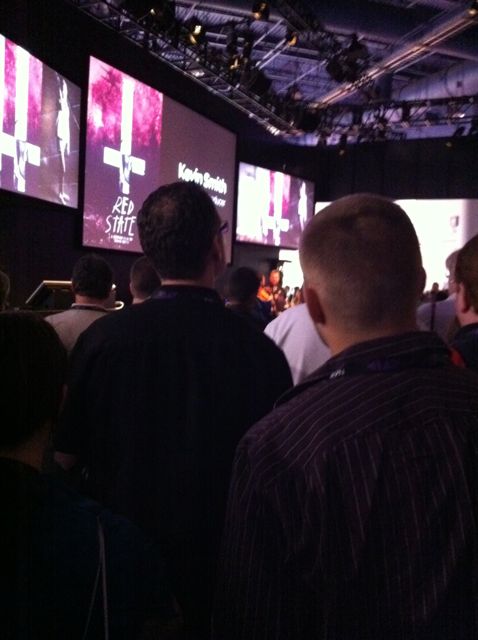
Avid booth in South Hall Upper Floor during a Kevin Smith presentation. Do you see him? He’s that blurry lit head sticking out in the middle left. Booths can be swamped on Monday and Tuesdays, especially during major presentations like this.


Pace Yourself, stay hydrated.

Unless you are only in Vegas for one day (because your cheap boss wouldn’t spring for at least two days) pace yourself, nothing is going anywhere for four days. It’s not like those stupid 4am day after Thanksgiving sales, there’s nothing that’s going to disappear except maybe some of the free swag that you’ll probably throw away when you get home anyway. There’s no need to be the first one at every booth, let everyone else run ahead, have a good laugh at their expense (honestly it’s funny to watch the cattle call of the folks who go bolting down the hallways to be first at whatever booth) and get your day started.

Many of the booths have chairs, small theaters with presentations throughout the day which are great to just sit and take a break for a few minutes. Sit in on some of the presentations that are about the toys you are considering. Sure these are well planned 15 - 30 minute presentations, but watching them can give you a good sense of whether the toy is what you expected it to be. In addition, the presentations allow you to form questions to pose to the folks working these toys in the booth. And there’s that sitting down for 15 - 30 minutes part that’s a good thing for your feet.

And above all stay hydrated, drink lots of water. The air is very dry in Las Vegas and it’s easy to get dehydrated with all the walking around you’re going to be doing. Not just at the convention, walking around the streets of Vegas will wear you out if you don’t stay hydrated. One of my first stops every year is to CVS pharmacy or small shop on the street to pick up a 6 pack of bottled water that I can refill as the week goes on.

Remember that Vegas also uses a lot of forced perspective, so things that appear to be right down the block are actually 1/2 mile or more away. For example what looks like a short walk from New York, New York Casino to Treasure Island is more like a 30 to 45 minute walk up the street.
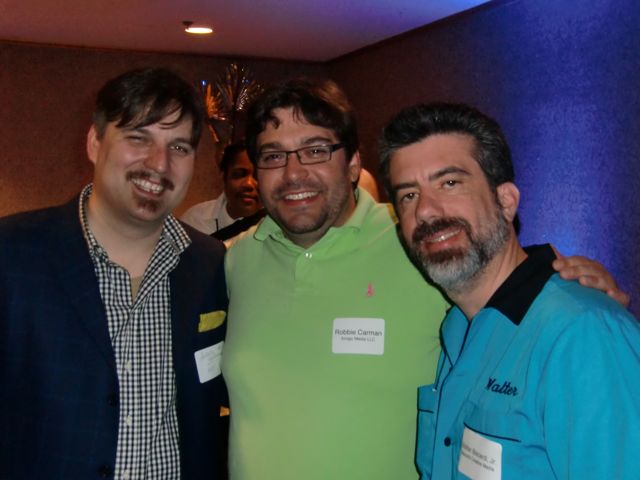
Alexis Van Hurkman, Robbie Carmen and myself stay good and hydrated in Vegas.

Evening Events.

Many manufacturers and groups have evening and after hours events. These are as simple as meet and greets to the world-renowed AJA VIP party. Some are free and some cost to attend. For the most part they’re fun and these are generally the best place to simply hang and meet up with your peers. You’ll find many of the bloggers, the writers, and folks who post on the various forums and tweet away all year long.

Now the same suggestions for the main show, also apply to the evening events. Primarily, pace yourself. There are a LOT of evening events, pick and choose a few, if you don’t make them all, so what? It’s ok. And manage your intake of alcohol. Yes everyone likes to party and have a beer or two, but I’m amazed at the number of folks revert back to frat college days and get completely wasted to the point where you really don’t even want to be around them. As many of the beer companies remind us, “Drink Responsibly.” And at most of these you’re going to do a lot of standing, so again, wear comfortable shoes!

My absolute favorite event now, which I finally got to the for the first time last year, is the Media Motion Ball. It’s a smaller gathering, costs a bit more money because they serve a very nice buffet sit down dinner and is more low key than some of the other larger gatherings. It’s quieter so we can all chat and it’s a very friendly atmosphere. Not much in the way of product demos, more in the way of artist demos and a really good raffle to end the event.

The biggest event for the Post Production industry is always the SuperMeet. Part carnival, part demonstration, always entertaining. Home of the one of the largest raffles in all of NAB and the place were Apple so famously (infamously?) launched Final Cut Pro X by kicking all other presenters out of the event. It’s also a great place to find out if there are any Post Production User Groups in your area as they do a parade of user groups as part of the event.

Maxx Digital always has a fun Cocktail Party where anyone that wants to show up, simply shows up at the Hard Rock Casino bar at the appointed time. You can meet the famous Bob Zelin who is one of the most amusing and smart characters I’ve ever met.

Most manufacturers and groups will have events posted on their websites or at the booths so check them out and decide if anything works for you. And if you don’t want to go out and party, then don’t, there are so many great restaurants and food joints all over town, go enjoy yourself at one of those.
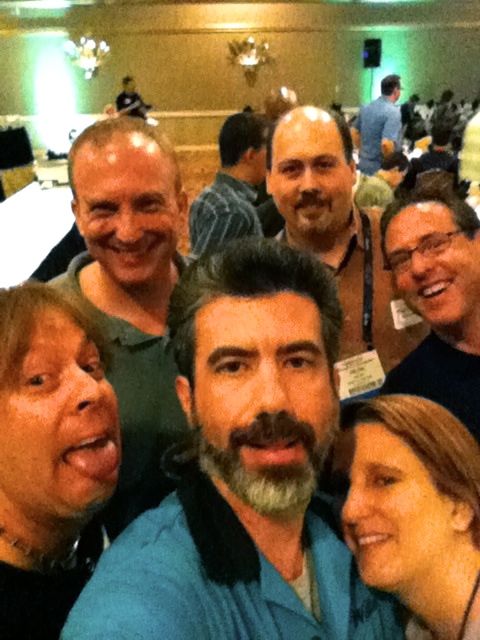
A motley crew at last year’s Media Motion Ball.

I forgot my hard drive, power cord, etc…

The Fashion Show Mall (weird name) located near Treasure Island and the Wynn hotel has an Apple Store and other electronics stores that should have whatever you left behind or lost on your way to Las Vegas. Other good stores and a great food court in there as well.

By the way, bring a small power tap or power strip so you can recharge all that electronic gear you need at night.


Beyond the Show, my suggestions for food and fun.

You’re in Las Vegas, there are literally tons of things to do besides gambling. Quite honestly gambling bores me, I used to work in the largest casino in the world and slot machines and such never interested me. I do place one bet each year on the weekend NASCAR race, but beyond that, not much else. So here’s some thoughts beyond the obvious gambling and drinking.

I can’t over emphasize how good the restaurants are both on and off the Strip. Buca de Beppo is wonderful off the strip. Without a doubt, the best buffet for me is the Spice Market Buffett in Planet Hollywood. If you like Indian cuisine as much as I do, the Gaylord at Rio is quite good.

The best grouping of restaurants in one hotel is the Venetian with Wolfgang Puck’s Postrio being the standout, but there are a lot of great choices in that one hotel including the Grand Lux and an awesome Mexican Cantina. If you go downstairs in the Shoppes at Palazzos you’ll find an absolutely killer Espressamente Illy coffee house / gelato shop. My favorite coffee in Vegas.

One fun thing that presents tons of photo opportunities is the Madam Tussaud’s Wax Museum in the Venetian Hotel. What makes it so fun is that nothing is behind glass, it’s all out so you can stand and pose with the wax people. It’s silly fun with something like 54 celebrities or so to get your picture with in a walk at your own pace style.
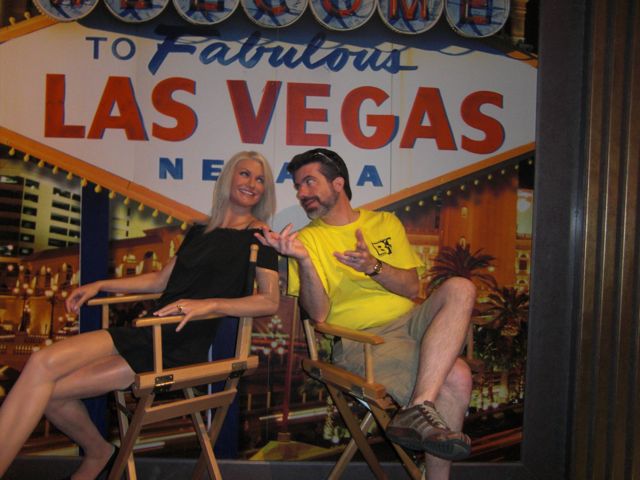
Cameron Diaz and I discuss the ramification of Final Cut Pro X and how it might impact the Post Production industry. She seemed to be partial to Adobe.
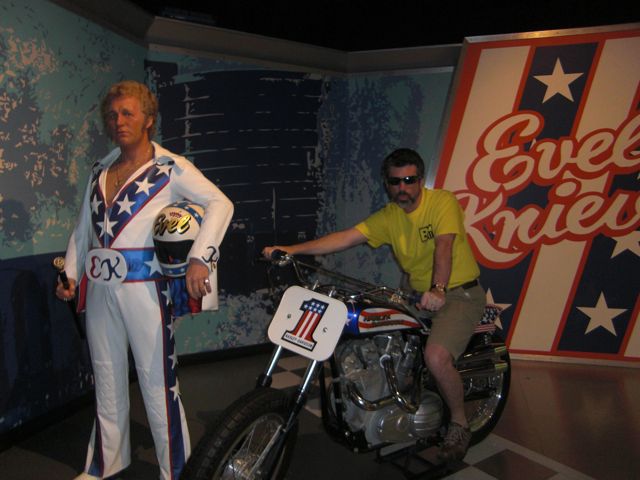
Ready to recreate the famous Ceasar’s Palace Fountain jump. The motorcycle revs up when you sit on it.

Of the “big shows” in I’ve seen in Vegas, “O” at the Bellagio simply takes the cake for spectacle. I spent as much time enjoying the show as I did marveling at the staging and just trying to figure out what sort of a warped mind can actually create some of this. Simply stunning both creatively and technically.

A very intriguing show that we found out about too late last year is Absinthe outside Caeser’s Palace. A small venue magic / variety / vaudville type of show that has rated quite well. We have not seen it, but might make it this year or next.

Most of all have fun!

There you go, some tips and tricks from a veteran of the Las Vegas NAB Scene. Most importantly have fun. Bring lots and lots of business cards, shake a lot hands and make yourself some new friends you can call upon when need advice. We’ll see you there!

One thing I will miss dearly this year. Dinner & Gelato with my dear friend Dan Desmet (2nd from left). The Desmet Family carries on his legacy with the incredible Flanders Scientific product line. We will lift a gelato in your honor this year Dan!

Aspiring Sound Designers should see The Hunger Games

The title says it all. After seeing The Hunger Games yesterday, which was a very good movie, the thing that stood out for me the most was the Sound Design. There were so many opportunities for the designers to “just go loud and big” like a typical blockbuster action film (see any Michael Bay film) but what they came up with perfectly matched the mood and feel of both the film and the characters within.

In particular the use of silence or near silence at key moments in the film. Where things could have been loud, boisterous, typical slasher sounds of death and destruction, we’re instead “hearing it through the ears of Katniss Everdeen” as a confused person thrown into an unbelieveable situation. She has tuned out the sound for her own sanity. At least that’s the take I came away with.

Three scenes in particular that stand out from a sound design point:

The actual start of the Hunger Games when the kids sprint off the platforms.

The hallucination scene with the effects of the tracker jacker venom.

The aftermath of an explosion triggered by Katniss’ arrow.

But quite honestly, the entire sound design to me is understated and precisely what the film needed. It’s not designed to stand out and make you jump in your seats because they can and it seems like “it’s the stereotypical thing to do.” The sound was designed to keep you in the moment, in the story, not just make loud sounds because they can. Even the canon that signals the death of a tribute is quite understated rather than an ear shattering boom that we would probably get from your typical action film.

So I would suggest any aspiring sound designer should check out this film, buy it when it comes out on dvd / blu ray so you can study it further. Heck aspiring Directors should buy it too for Gary Ross’ excellent direction and adaptation of the book.

Here are the full credits from IMDB, scroll down to find the entire Sound Department credits.

And while we’re recommending movies for sound design, definitely pick up a copy of WALL-E with yet another incredibly well done example of sound design to carry a film. Particularly the first 20 minutes with zero dialogue.


The right way to switch your OS

As part of our transitioning the facility over to Avid Media Composer 6 for broadcast work, we’re also transitioning our Mac Pros from Mac OS 10.6 (Snow Leopard) to OS 10.7 (Lion). My original plan was to simply wait for OS 10.8 (Mountain Lion) to come out this summer, but as MC6 was designed to run in Lion and some drivers we’re about to install require Lion, it made sense to go ahead and upgrade everything now.

When transitioning from one OS to another, the worst thing you can do with your professional creative workstation is to simply Upgrade your OS. That is, allow the OS software to simply overwrite the existing OS. This usually results in a lot of instability because it’s not a clean install, there is a lot of deleting / overwriting / deleting / overwriting and so on. Professional applications run their best when they are simply installed cleanly into the OS. There’s also a lot to be said for a perfectly stable operating computer system.

So here’s how we do our upgrades on our Mac Pros.

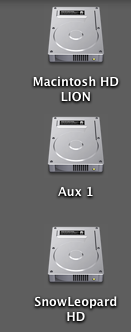
1 - Install a fresh hard drive inside the computer and format it with the name Macintosh HD LION.

2 - Install Mac OS 10.7 to that fresh hard drive.

3 - Re-install all pertinent software onto the Mac OS 10.7 hard drive.

4 - Leave the original Mac OS 10.6.8 Snow Leopard drive alone. If we need to run anything off that hard drive, we simply re-boot the computer to that drive.

Here’s how it looks on the desktop, these are three physical drives inside the computer. The topmost drive is always the one we booted off of, so we even know at a glance which OS we’re running.

The Aux drive is where we keep graphical elements and such. So now what we’re going to do is essentially “freeze” our Final Cut Pro 7 system on the SnowLeopard HD. We will NOT be installing FCP 7 on the Lion drive because there’s really no reason to. It’s not going to run that much faster and we’re not going to be using it much at all moving forward, so why bother installing it on the Lion drive? Anytime we need to run that software, we simply reboot to the Snow Leopard HD.

Now if you’re running a laptop or an iMac, you could make a Disc Image of your Snow Leopard drive to an external drive for safe keeping. Then if you need to reboot in Snow Leopard you can simply boot off the external drive. However you do the OS switch, always do a clean install of the OS and then install all of your software fresh onto that hard drive.

Oh and if you’ve not upgraded to Mac OS 10.7 Lion yet, you should be aware that the installer will self destruct after installation is completed. And it’s a 4 GB file download. So if you ever need to install it again, you’ll need to download it again. All 4 GB. If you’d like to keep a copy of the installer around, follow these instructions on Cult of Mac.

Because you asked… More on our Switch to Avid MC6

Our short and sweet blog post yesterday about switching to Avid MC6 for our broadcast work touched off a flurry of requests for yet more information on our decision. Folks want to know “what specific features did it have that the others didn’t.” “Can you break it down feature by feature, why you made the switch?” ”You seemed so gung-ho about Adobe early on in your switch.”

Honestly I can’t break it down like that. For almost 6 months now we’ve had one edit suite running MC6 and one running Adobe Creative Suite 5.5 pretty much full time in each room. FCP 7 has been used in both rooms as necessary and I’ve also been cutting with Adobe CS 5.5 primarily on smaller projects. So this has been a real solid test. Three rooms cutting real projects with real clients in the room.

In a situation like this, you don’t compare “feature by feature.” You compare, “how does this work with the client looking over my shoulder?” Is the system efficient, can I do everything from FCP, what is the client experience, does the system service all of my needs?

Real world, client over the shoulder experience, Avid’s strength is the performance of the software in our FCP based infrastructure. What that means is my entire facility was designed to support Final Cut Pro. Mac Pros, AJA Kona video I/O boards, Small Tree Ethernet based shared storage system and a slew of third party hardware and applications. When we dropped Avid Media Composer 6 into that infrastructure with the appropriate AJA Kona drivers, the system didn’t miss a beat. We were truly stunned that Avid’s support of our hardware was that good. Tape capture and mastering are more efficient and more accurate than what we ever had with FCP. Overall performance of the Avid MC6 software on the same exact machine as FCP7 is much faster.

In comparison, Adobe Premiere Pro causes all sorts of playback and audio issues on output to our external monitors. This led to less than desirable client experiences in the edit suite. As long as the client wasn’t in the room, we would leave the external monitor turned off, but even there audio playback issues still plagued the system. See when I first started testing and posting about Adobe Premiere Pro, it was all from my 27″ iMac at home, so there was no external monitoring. At first the output seemed to work pretty well, but then things kept getting wonky and we could not get output to ever work consistently across multiple workstation.

And all of us were disappointed, to say the least, that tape capture / tape mastering is abysmal in Premiere Pro CS 5.5 with tape still being a very large part of our day to day workflow. Yes, the world is going digital, but we have a lot of shooters who still shoot tape and we have thousands of hours of tape on our shelves that get used for documentary and news projects. Lack of audio controls in the Source, track assignments and a lot of other small things created stumbling blocks and inefficiency in the workflow. Our overall feeling is that Adobe has got a lot of advanced features that nobody else has, but the basic core editing experience leaves a lot to be desired and at the end of the day, we’re storytellers and need a solid core editing tool. Yes we are aware that Adobe is most likely going to introduce CS6 soon and with any luck some of these issues will begin to be addressed. Premiere Pro will still play a part in our facility on smaller projects and potentially an independent documentary.

But right now, after so many months of using both systems in our core FCP infrastructure, Avid MC6 just performs so much better. It’s actually a more limited toolset when you consider that we purchase the Adobe Production Premium suite that comes with all the other applications, it seems like a waste to spend that money on just one tool. But it makes you appreciate the tool for what it is. One hell of a very fast storytelling machine. Yes there is frustration because we have to “un-learn” a lot of our FCP mindset and re-think our workflow more with Avid than a transition to Adobe Premiere Pro. But that’s just learning which buttons to press.

So there you go, that’s more of our reasoning on taking Avid MC6 to all of our broadcast work, in a nutshell there’s more of a comfort factor bringing the product onboard for broadcast. This was probably the biggest decision I’ve had to make in my career after almost 12 years of keeping Avid OUT of my facility. But Avid truly did listen to what we told them and opened up the software to a world of possibilities by letting me simply drop it into an existing infrastructure.