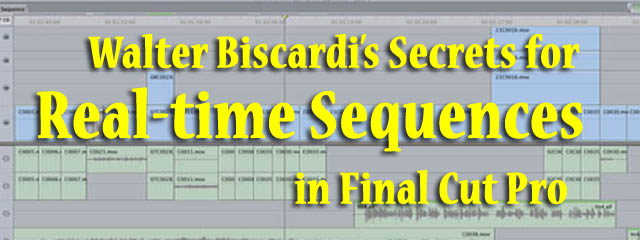
Article Focus: It's late, you're running late, and you can't figure out why your sequence isn't playing in real time. Fortunately, Creative Cow leader and Final Cut Pro expert Walter Biscardi is here to help. You know that something's wrong, Walter knows what, and he tells you how to fix it here.
"Stop Staring and Start Grading with Apple Color," the Creative COW Master Series DVD hosted by Walter Biscardi is now shipping, for only $49.95.
"This is one of the best training DVD’s I’ve seen, and well worth the
price. I am now confident and ready to jump into Color with both hands."
--Gary Morris McBeath, SaltAire Cinema Productions
Honestly, i can not thank you
by Martin Deeney on Feb 3, 2010
Honestly, i can not thank you enough for this information, i was pulling my hair out with all the rendering. thank you so much. for anyone else having problems in fcp with canon xha1 25p frame footage the sequence settings are
Fr size -1440x1080
Aspect Ratio HD -(1440x1080) 916:9)
Pixel Aspect Ratio - HD (1440x1080)
Field Dom -Lower
Compressor -Apple Intermediate Codec
thanks Walt, very good overview
by Alf Hanna on Jan 10, 2010
This certainly is a mystery point of FCP. This really clarified things. Thanks!
Walter Biscardi's Secrets for Real-time Sequences
by mark palmos on Mar 4, 2008
hey walt
you nutty man you,
have a super day too
best
mark.
Walter Biscardi's Secrets for Real-time Sequences
by walter biscardi on Jan 30, 2008
I honestly never HDV material natively. We convert all HDV to DVCPro HD or ProRes for editing via our Kona 3's.
HDV does have to conform for playback due to it's nature as a long GOP MPEG-2 format. My guess is that because you're mixing various formats in the same timeline, it's causing FCP to have to conform everything that might get played into HDV before playback will start.
But again, we never edit HDV natively so I can't tell you for certain.
Walter Biscardi's Secrets for Real-time Sequences
by Stevesteve on Jan 30, 2008
I'm not new but this helped clarify several things. Here's a question for you though regarding FCP 6. I have recently been working in an HDV sequence with several sources clips of different formats. Many times, not always, when I go to render an effect, instead of the 'writing video' blue rendering bars, I will sometimes get a 'conforming HDV' bar instead. Even if all effects are already rendered, and I hit command/R (just to be sure), the 'conforming HDV' render bar still comes up. I never experienced this situation until this project.
Could you explain.-
Thanks, Steve
Walter Biscardi's Secrets for Real-time Sequences
by walter biscardi on Jan 23, 2008
My pleasure paddy. Hopefully I'm keeping YOU from getting annoyed with FCP the next time you start a project! :-)
Walter Biscardi's Secrets for Real-time Sequences
by Paddy on Jan 23, 2008
Great video Walter - next time I set up an FCP project, I'll remember how *annoyed* you'll be with me if I do it wrong! ;-)